

AI Detection and Alerts
The AI engine runs on the server and analyzes every connected camera. It recognizes and follows people, vehicles, bags, animals and dumped waste. An event that meets a rule becomes an alert with a snapshot and a clip, on the console and in the mobile app.
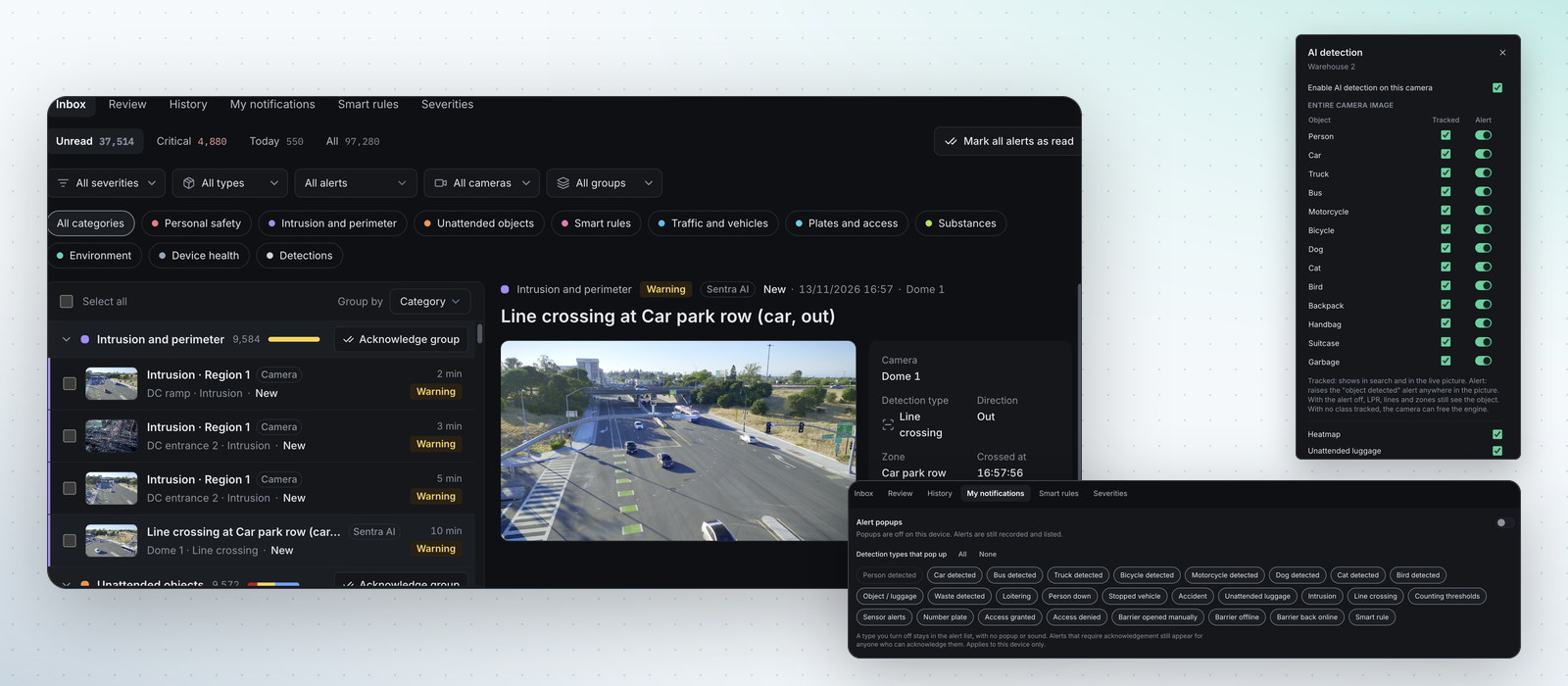
Zone editor
Loitering zones, alarm lines, unattended object rules and person down areas are drawn on the camera picture.
Alert grouping
One alert per object, repeats grouped, and a second check before a borderline detection reaches anyone.
Alert evidence
An annotated snapshot and a short clip from before and after the event, for replay or export.
From detection to the person on duty
- 01
Detected
One detection and tracking pass per camera finds the object and the rule it meets.
- 02
Checked
Repeats are grouped into one alert per object, and a second check runs before a borderline detection reaches anyone.
- 03
Delivered
In the app with a sound, as a push notification, by email or by SMS, by each person's own rules and hours.
- 04
Handled
Acknowledged for the team, confirmed or rejected with a reason. The feedback goes back into the model.
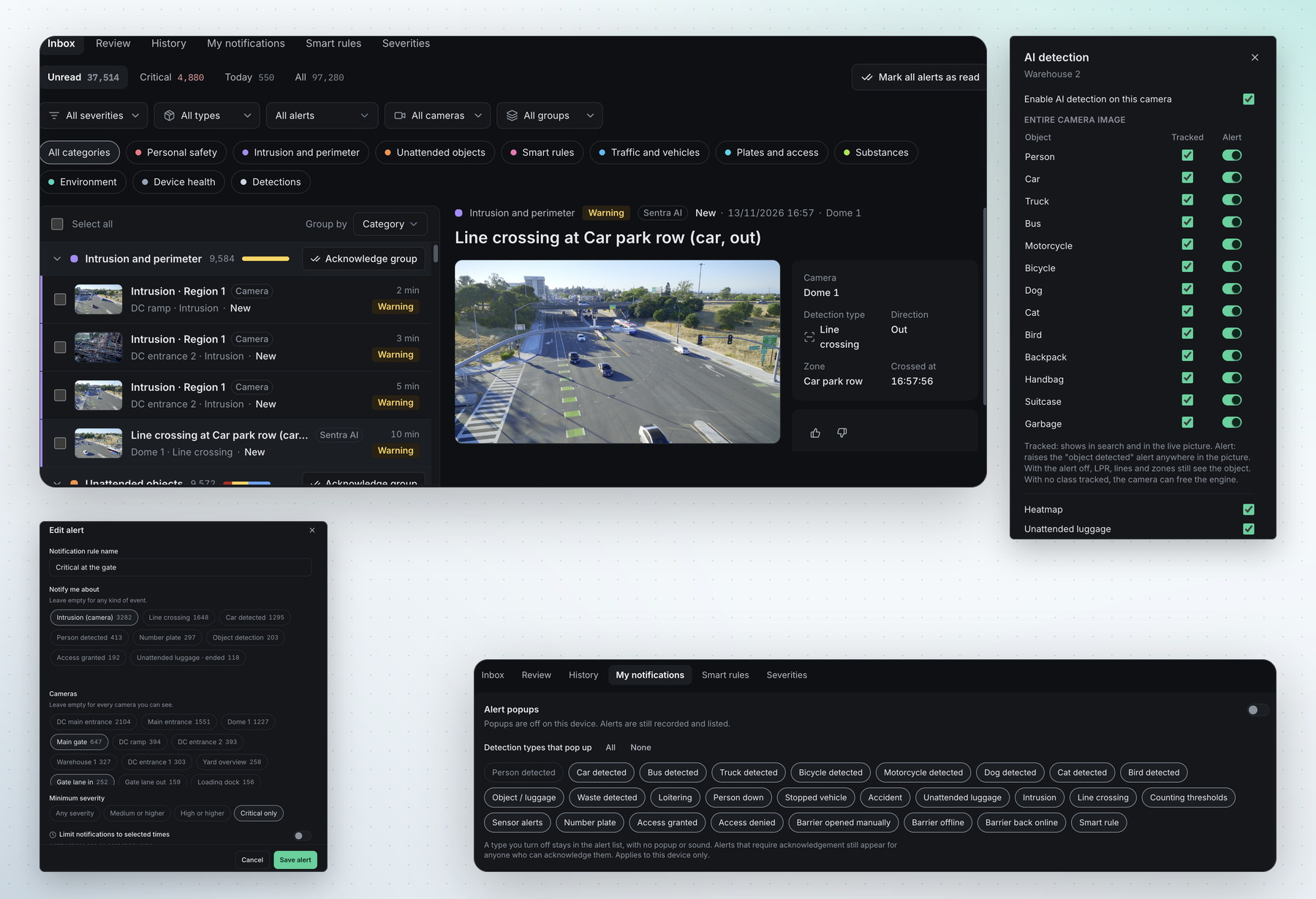
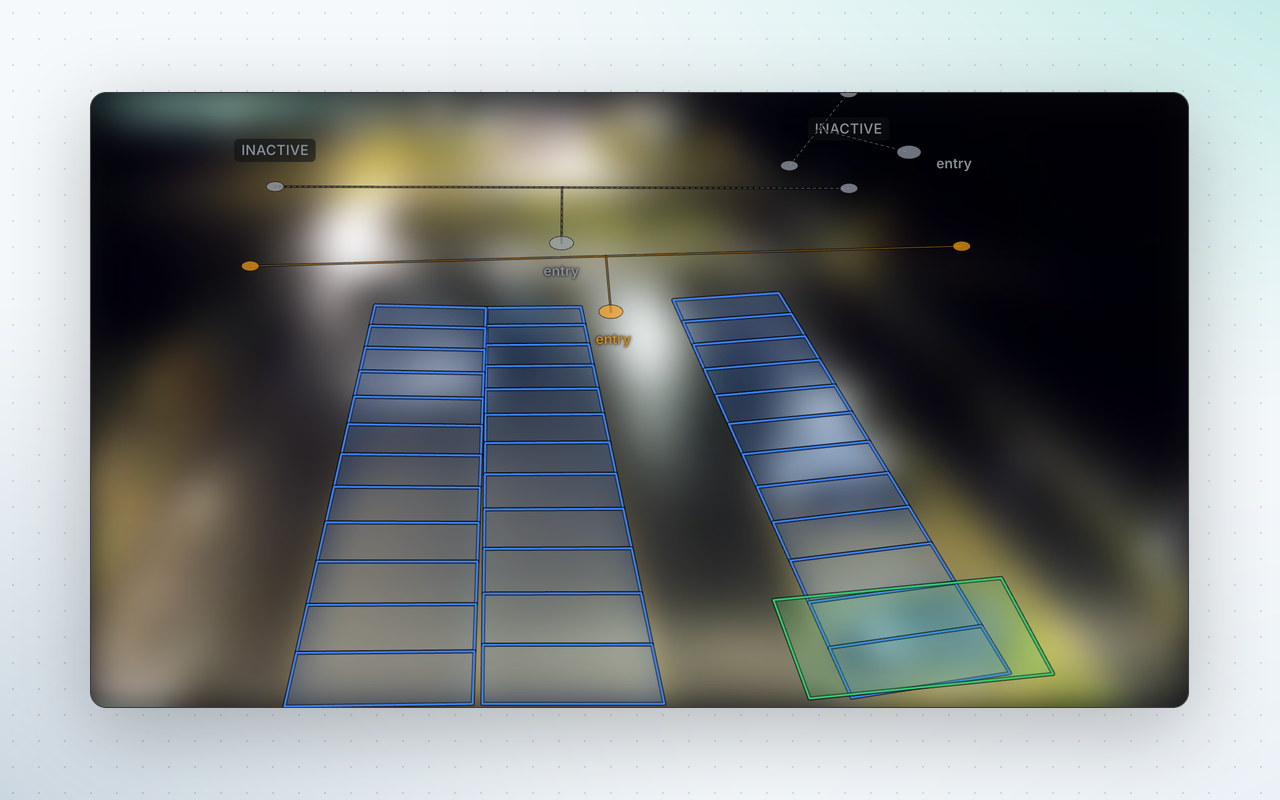
Rules on the camera picture
The zone editor draws each shape on a frame from the camera: loitering areas with a dwell time, alarm lines with a direction, person down areas with a time on the ground, and the bays and arms of the analytics modules. Shapes keep a history, and an alert points at the shape version that raised it.
- Loitering that needs both dwell time and a movement pattern
- Alarm lines that fire with, against or across the arrow, and can count at the same time
- Unattended bags judged over time, with companions and returning owners taken into account
Alert inbox
An alert is a snapshot with the object outlined, a clip cut from a rolling buffer before and after the moment, the camera, the time and the severity. Operators acknowledge for the team or mark as read for themselves, and confirm or reject with a reason. That feedback goes back into the model.
- Critical events such as a person on the ground resolve themselves once the spot is clear
- Events from recorders and camera side analytics land in the same inbox as the engine's own
- A fixed camera can drive a pan, tilt and zoom camera to the spot for a close up
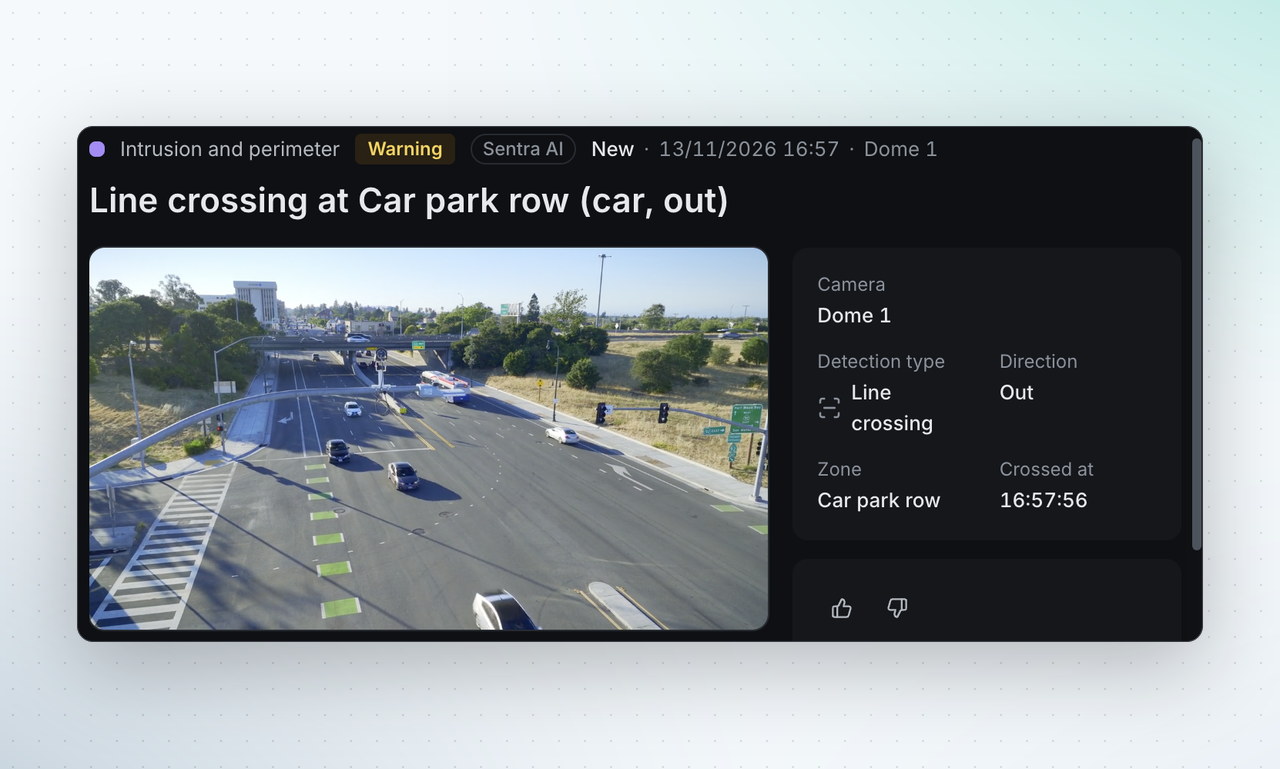
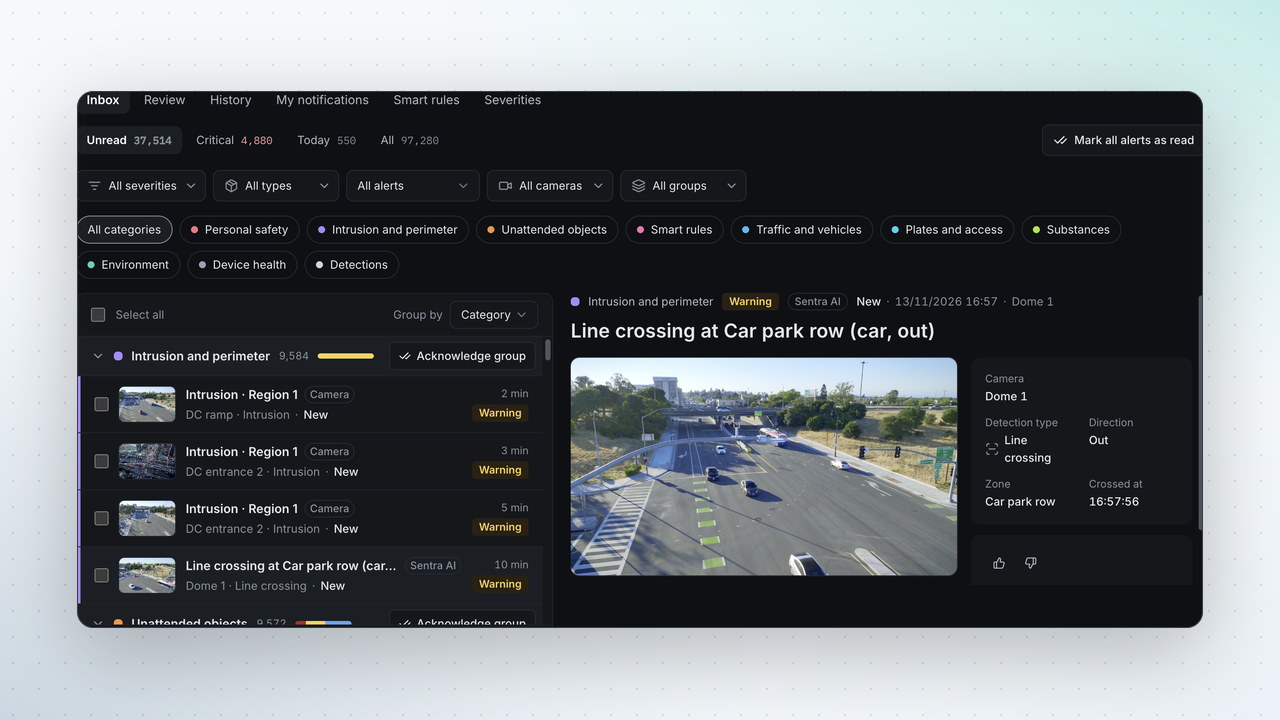
Alert categories and severities
Each alert type belongs to a category: personal safety, intrusion and perimeter, unattended objects, traffic and vehicles, plates and access, substances, environment, device health, smart rules and detections. The category gives every alert its color bar and icon, and the inbox groups alerts by category, type, camera, site or hour, with a whole group acknowledged at once.
An organization renames categories, changes their color, icon and priority, and sets how serious each alert type is. Severity decides how alerts are ranked and counted, and whether they break through quiet hours. A parent organization can apply both to its sites and lock them.
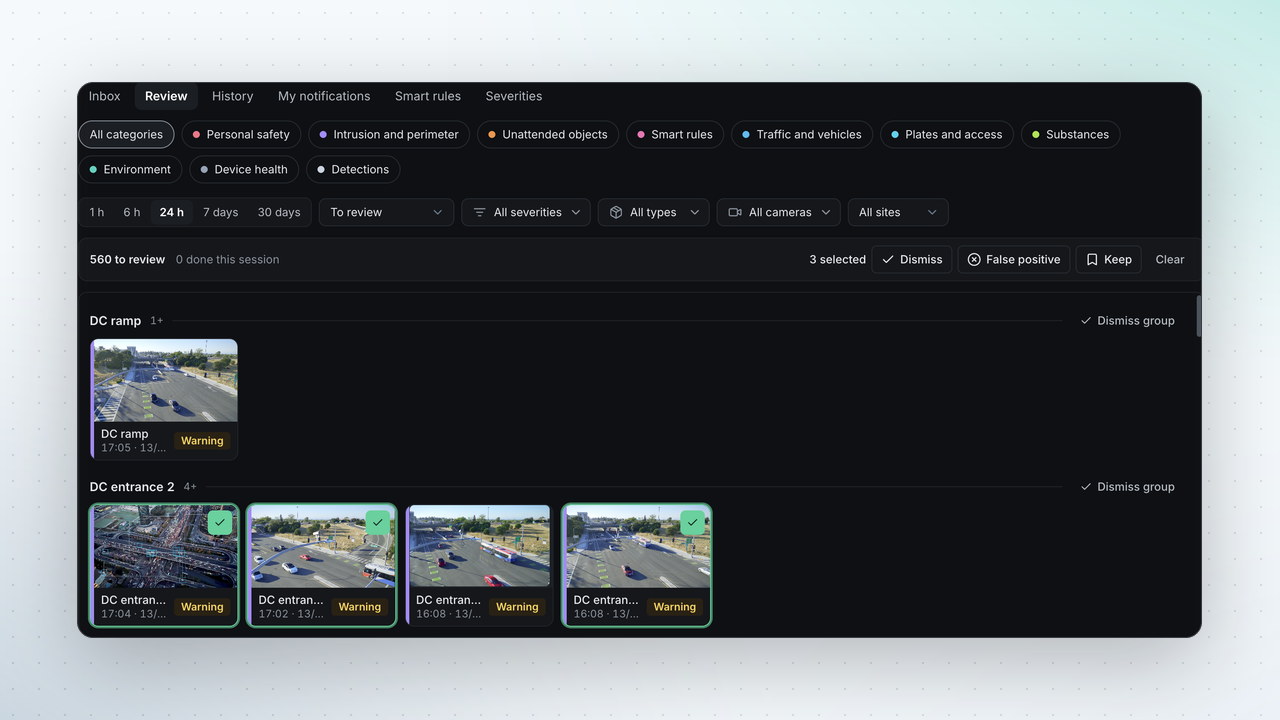
Review mode
Review mode lays out the alerts of a chosen window, from one hour to 30 days, as a grid or a list for fast triage. Each alert is dismissed, resolved as a false positive or kept for follow up, and the last action can be undone. Every action has a keyboard shortcut.
- Grouped by camera, type or hour, and filtered by status, site or recorder
- A viewer with the snapshot and the clip, and a link to track the subject on the map
- False positives are kept with that code for model training
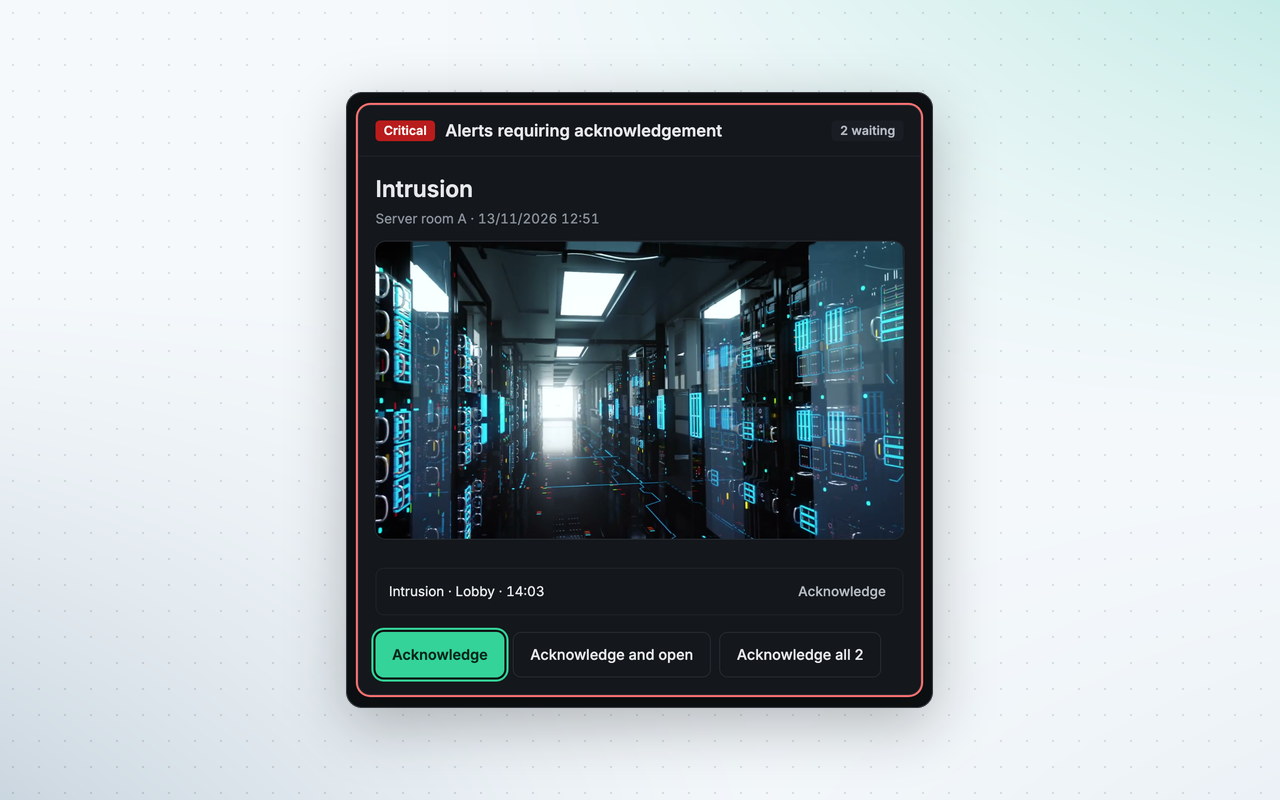
Mandatory acknowledgement
An organization marks the alert types that need acknowledgement. Such an alert stays on screen for every operator allowed to acknowledge it, on the console and on videowalls, until one of them does. One acknowledgement clears it for everyone, and personal notification settings and quiet hours do not hide it.
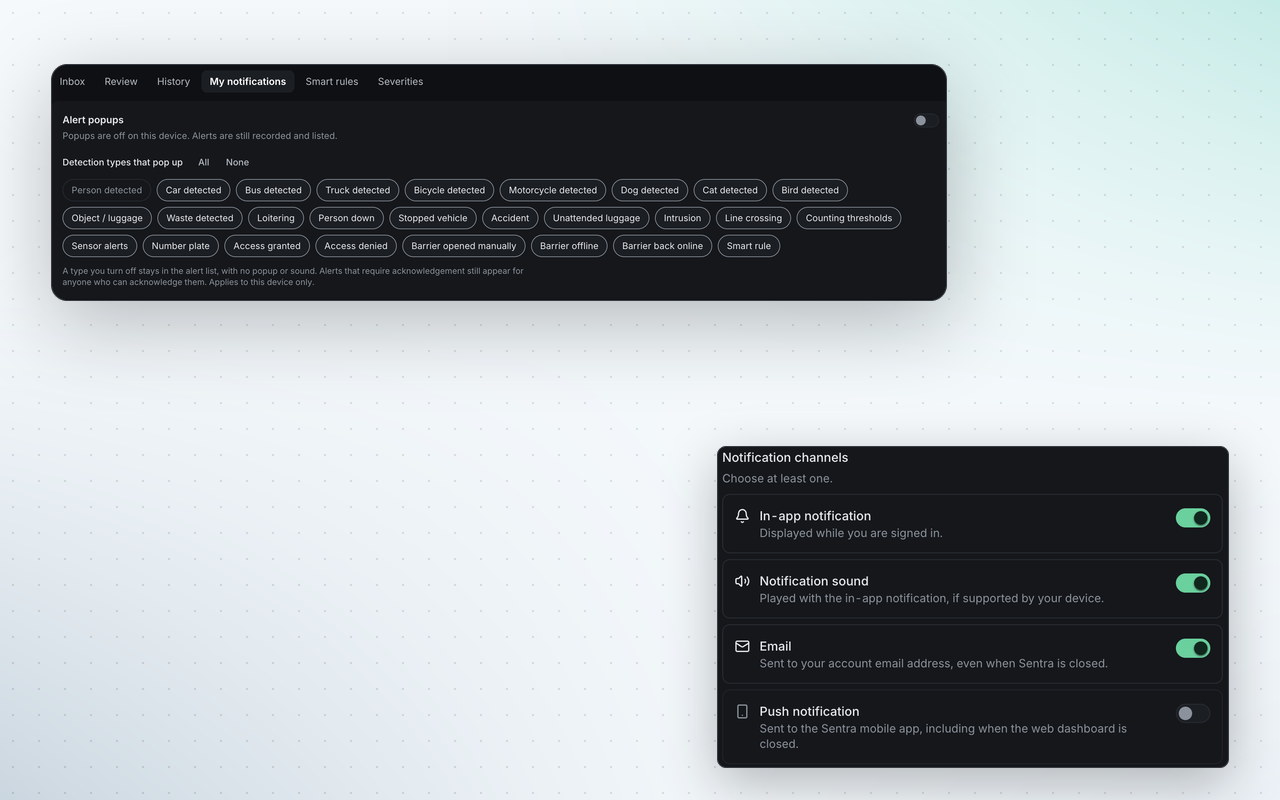
New alerts can also open in the middle of the screen with a sound, chosen per device and per detection type.
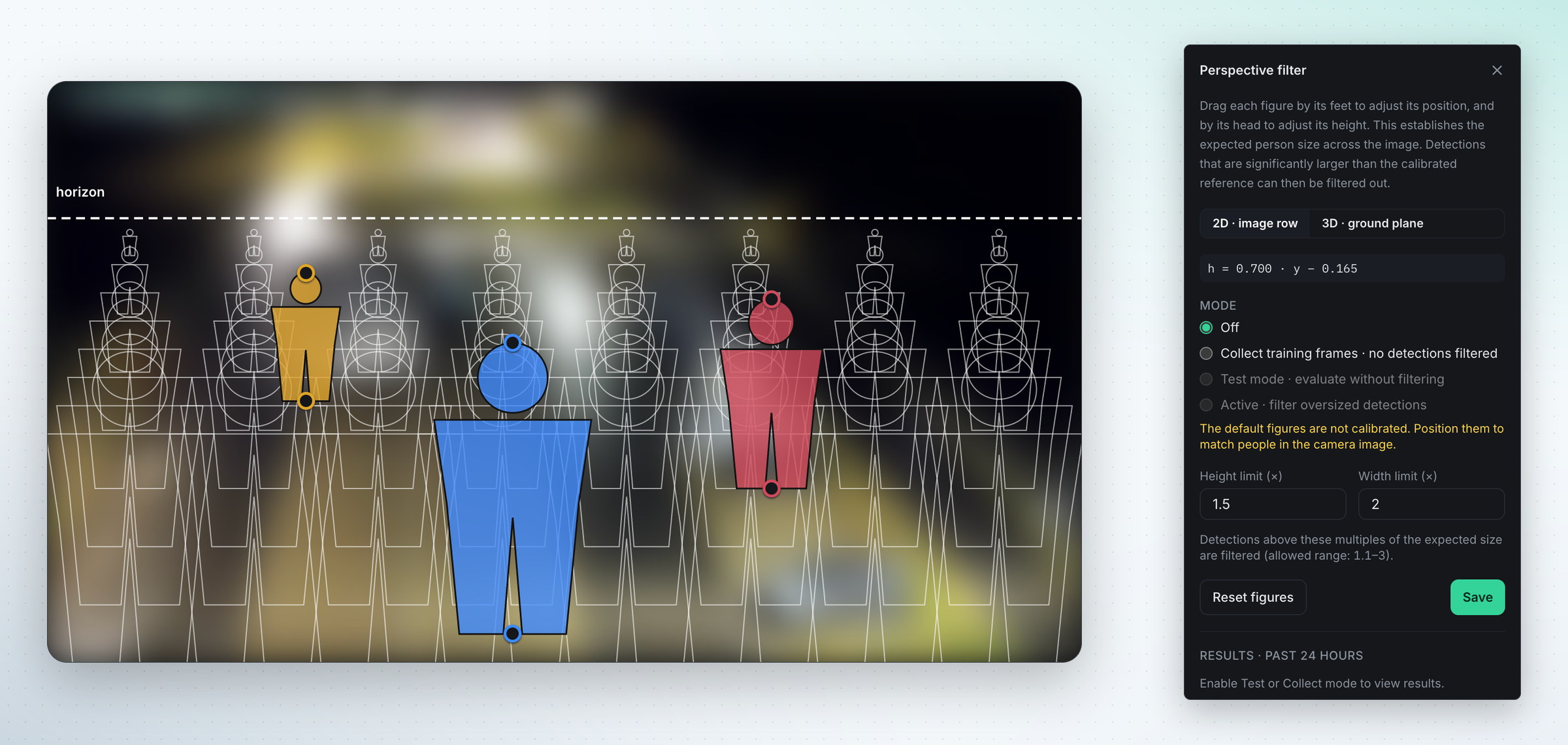
Perspective filter
Two figures dragged onto the picture, one near and one far, teach the engine how tall a person looks in each part of the frame. A detection too large for its place, such as a shadow, a reflection or a coat on a chair, is dropped before it becomes an alert. A trial mode shows what would have been dropped in the last day.
Personal alert rules
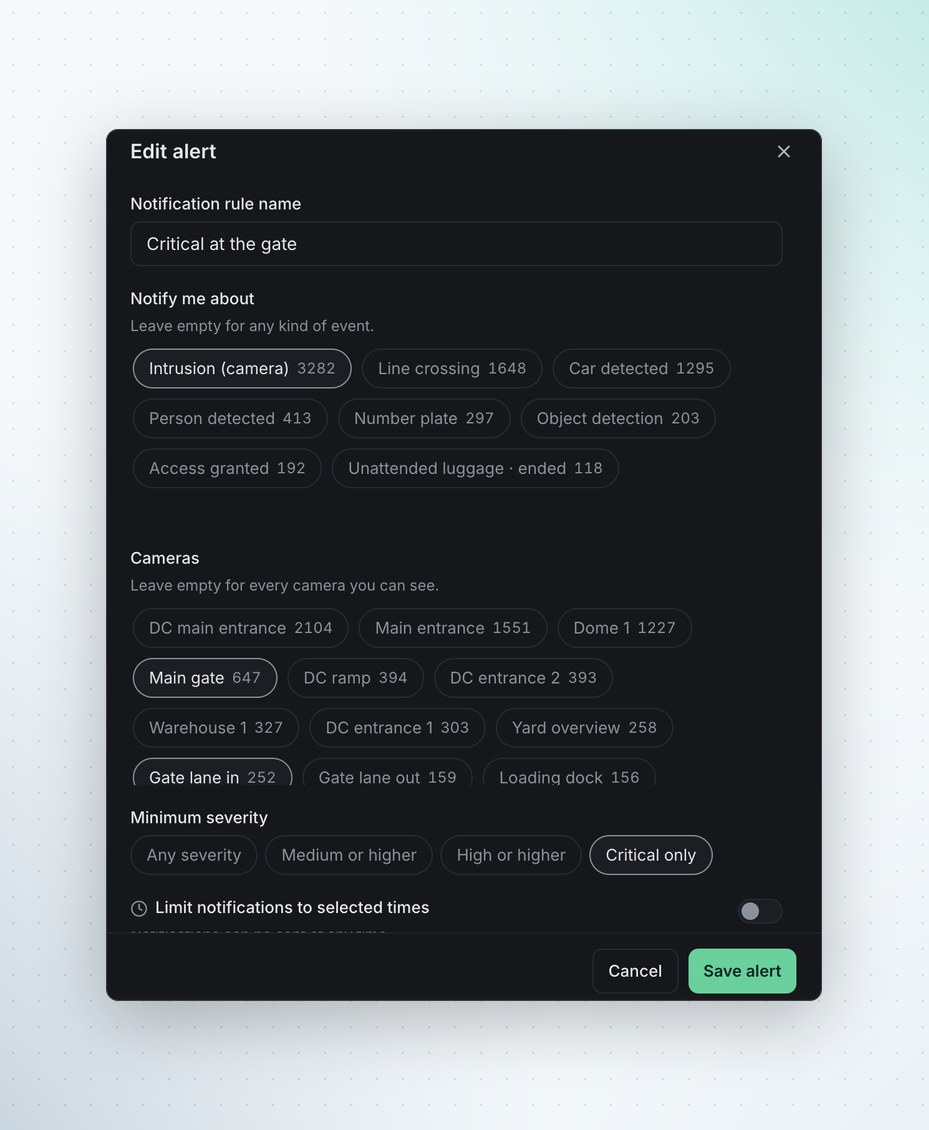
Each user sets personal rules: which events, on which cameras, from which severity and on which days and hours. A rule shows how many alerts it would have matched in the past seven days, and warns when it would send too many.
Notifications in the app, by push, email and SMS
Each person's rules send alerts in the app with a sound, as a push notification to the mobile app, by email and by SMS to the number in their profile. SMS reaches a phone with no mobile data.
SMS has limits per organization: an hourly limit per person and a daily limit for the organization. Beyond the hourly limit a person receives one summary message. Notification rules decide only what reaches a person, and the alert list stays complete.
Alert history search
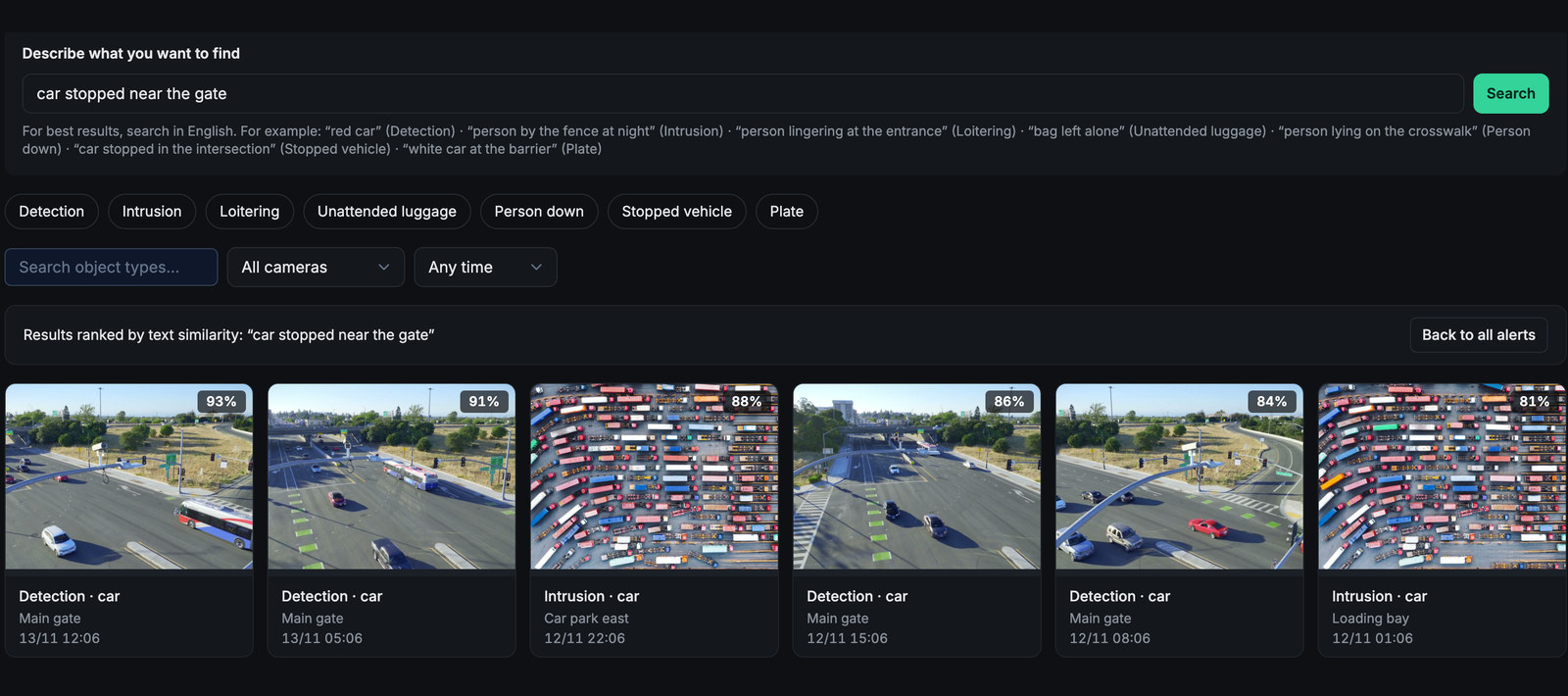
The alert history answers questions typed in plain language: a person lying on the crosswalk, a white van near the entrance, someone lingering at the gate. Results open in the inbox with their evidence.
See it on your own cameras
A demo can run on your cameras or on a Sentra demo site, self hosted or hosted by Sentra. Tell us which events and figures you need, and we prepare it.