

What Sentra runs
Each use case combines capabilities on the same cameras and the same rules, self hosted or hosted by Sentra.
Protect the perimeter
Fences, gates and the hours when nobody is there.
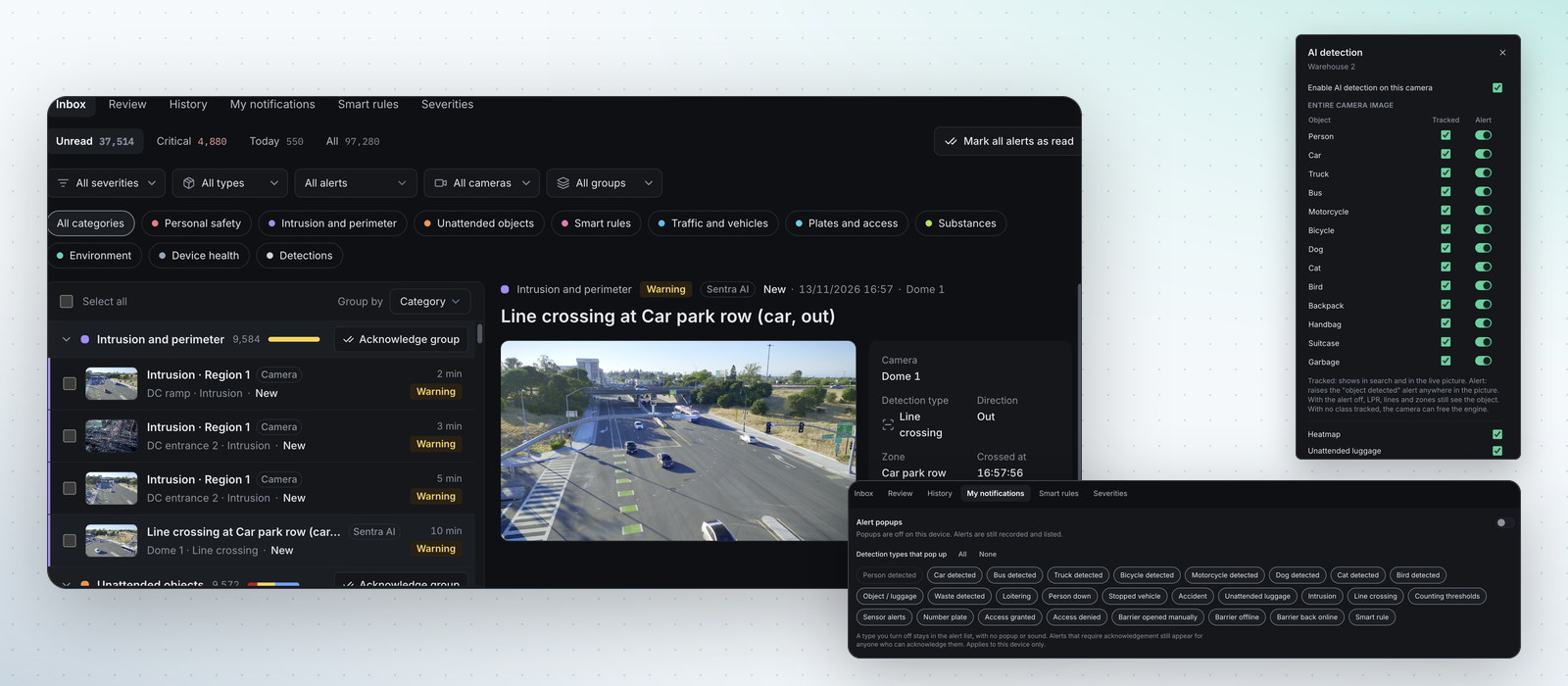
Fence lines after hours
An alarm line with a direction is drawn along the fence on the camera picture. A rule with hours arms it after closing, and the alert reaches the phone of the person on duty with a snapshot and a clip.
Someone waiting at the gate
A loitering zone at a gate, a fuel tank or a back entrance needs both a dwell time and a movement pattern before it raises an alert, so a passer by does not.
A rule tested on last month
A vehicle seen at the gate and not at the loading bay within twenty minutes, at night, is written as a smart rule. Before it is switched on, it runs over the last 30 days and shows how many alerts it would have raised and on which nights.
A close up from the next camera
When a fixed camera raises an alert, it can drive a pan, tilt and zoom camera to the spot, so the operator sees the detail at once.
Remote sites on a weak link
The engine at a remote site keeps working on its cached configuration when the link drops, and delivers its detections once the connection returns.
A camera knocked out of position
A calibrated camera is checked against its live view. A camera that has been turned, covered or put out of focus raises an alert with the reference picture next to the current one, and the map shows where it used to look.
Control vehicle access
Barriers that decide by plate, and a record of every decision.
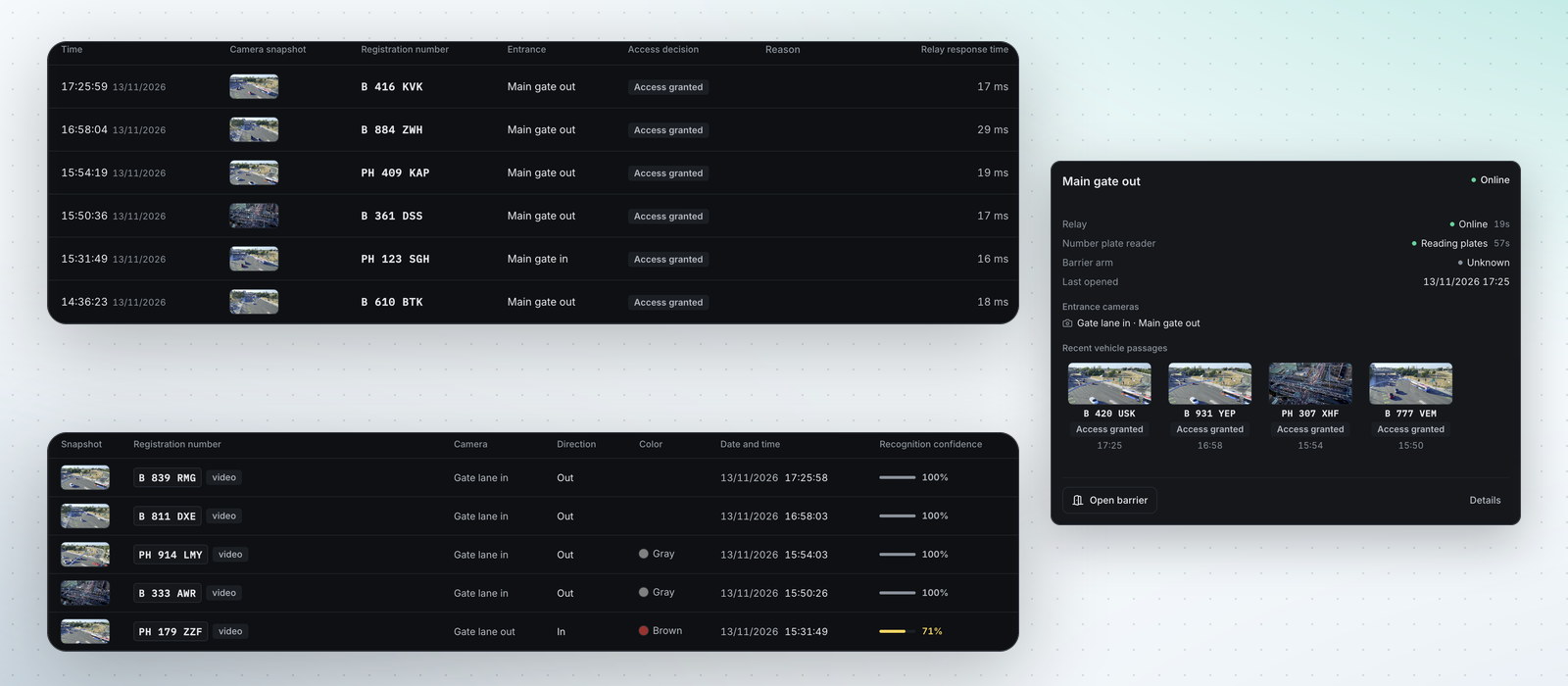
The gate runs itself
Listed plates open the barrier during their validity period. Other vehicles are refused with the reason and a photo, and a guard can open the boom from the console.
Visitors and staff at different gates
Each vehicle carries a validity period and the entrances it opens, so a visitor car park and a staff gate run from one list. Deactivation keeps the history.
A watchlist on every camera
Plates read on any camera with a view of them join one plate search, and a plate on the watchlist raises an alert wherever it is read.
Ambulances through the hospital barrier
The barrier opens for ambulances and staff on the plate list, and free bays per row show where the car park still has room.
Run the site
Occupancy, parking, traffic and the rooms a camera cannot see.
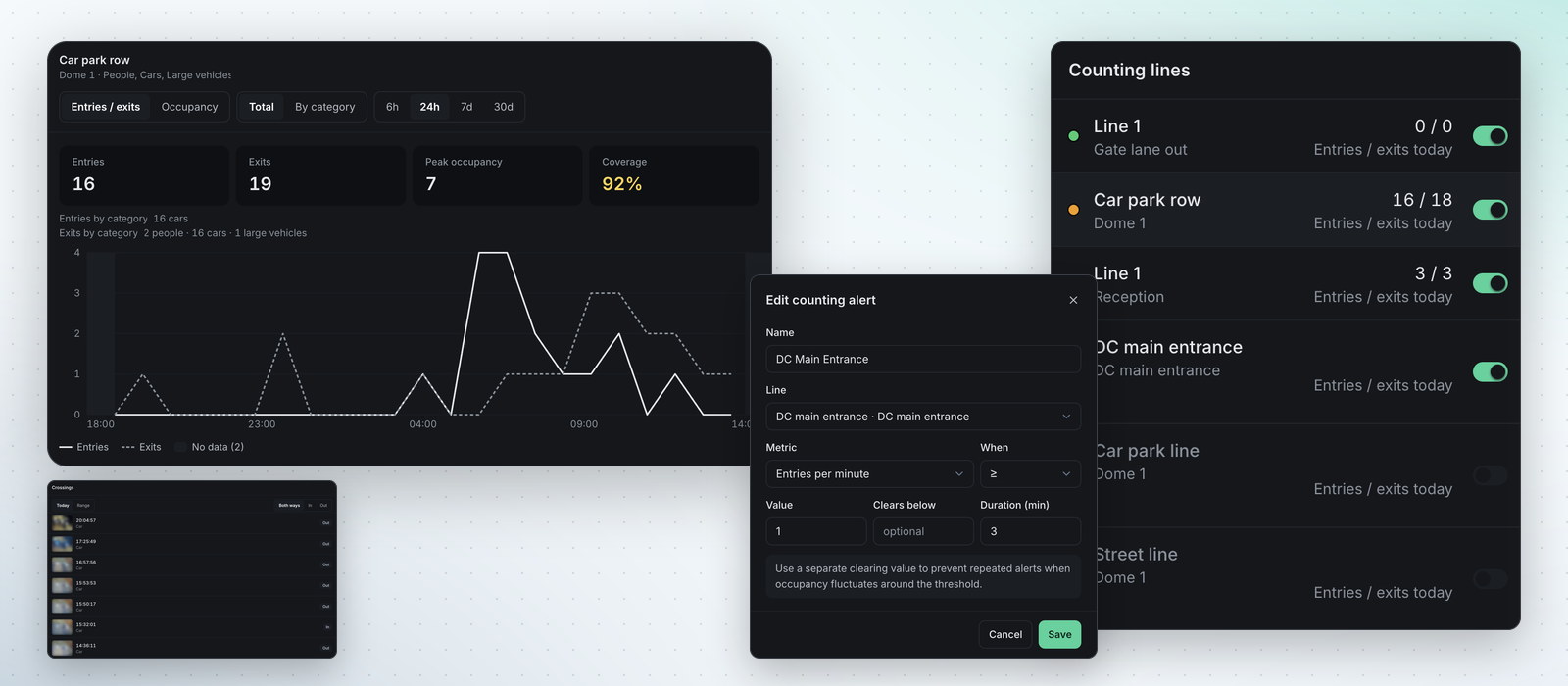
Know who is still inside
Counting lines at each entrance give live occupancy per building or floor. A rule such as occupancy above eighty for three minutes raises an alert, and clears at a separate value so it does not flap.
Free spaces, live
Bays drawn on the car park camera give free spaces per row as of the latest minute, and several cameras are linked into one lot.
Before and after a traffic scheme
Arms drawn on the existing junction camera count turning movements by class. The same camera records the junction before and after the change, exported as a spreadsheet.
Rooms where cameras are not allowed
Sensors detect vaping, smoke, aggression and calls for help without an image. The linked corridor camera shows who came in and out.
Who was in the room
When a sensor in a washroom detects vaping, the cameras that see its door list who went in before the event and who left after it, with a clip of each passage. Nothing is recorded inside the room.
A hall drifting out of range
Sensor thresholds on temperature, humidity and air quality raise an alert when a hall, a greenhouse or a storage room drifts out of range, and the history shows what happened overnight.
Plan the cameras before they are bought
The cameras for a new floor are placed on its drawing. The study shows which rooms reach the level of detail required and where the blind spots are, and after installation the planned cameras are compared with the ones that went up.
Investigate and prove
From the first alert to a package a court or an insurer can verify.
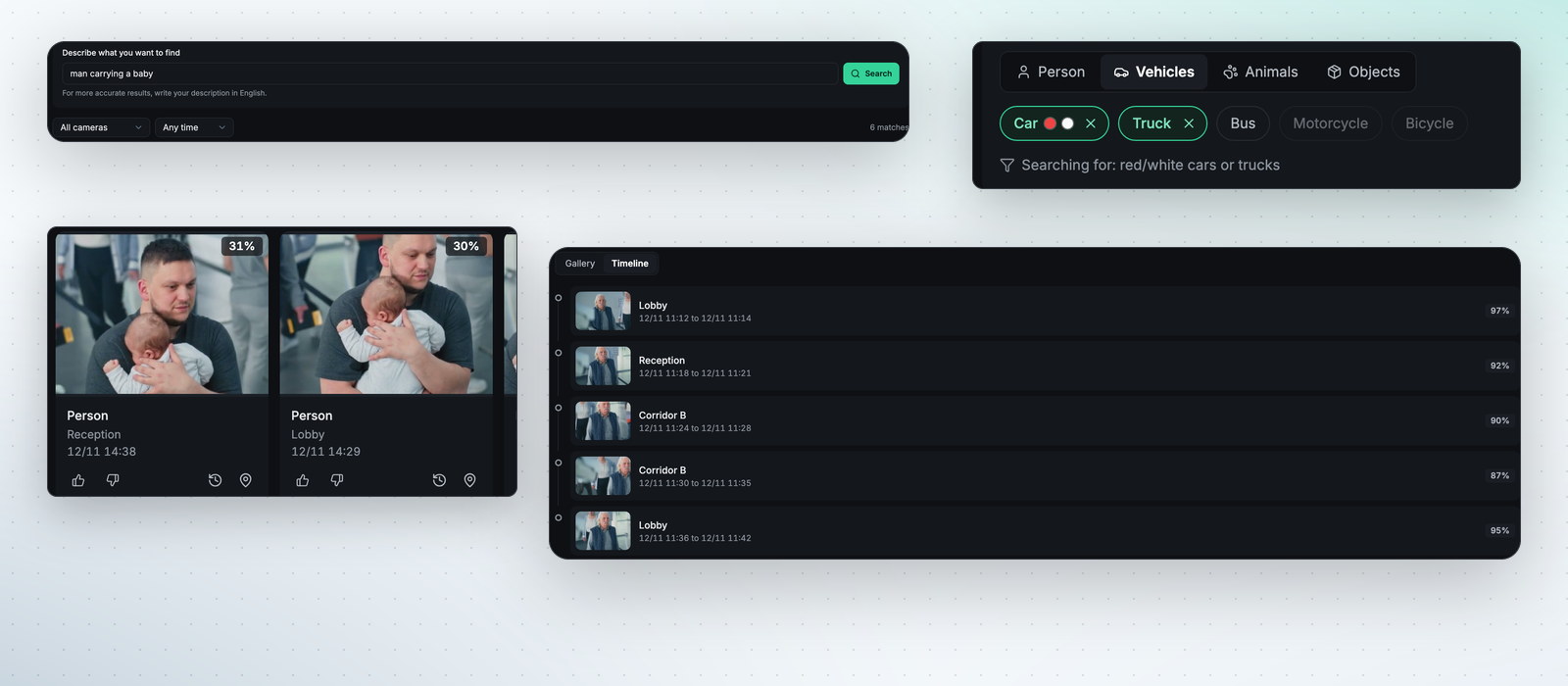
Follow one person across the site
Start from a detection, find the same person on the other cameras and read the timeline from camera to camera, with the full scene behind each match.
Follow a vehicle on the map
A plate read at the gate is tracked across the site on the map: each camera that saw the vehicle, the time it stayed in view and a clip around each sighting, over the last 24 hours.
Find the white van
The alert history answers questions in plain language, such as a white van near the entrance, and AI search finds a vehicle by color and plate across cameras.
Evidence for an inquiry
Footage needed for a case is kept beyond its retention and exported as a signed package with the reason recorded. The package verifies offline, with no account.
A case file for an inquiry
An alert becomes a case file: the sightings of the same person on other cameras, the alerts and sensor events around them and a written summary. The case file leaves as a signed package with the request number recorded.
A picture cited by number
The photo evidence report numbers each frame, so a claim, a complaint or a police request can cite one picture by its number.
Run many sites
One organization tree, one policy, each site with its own people.
Rules set once at head office
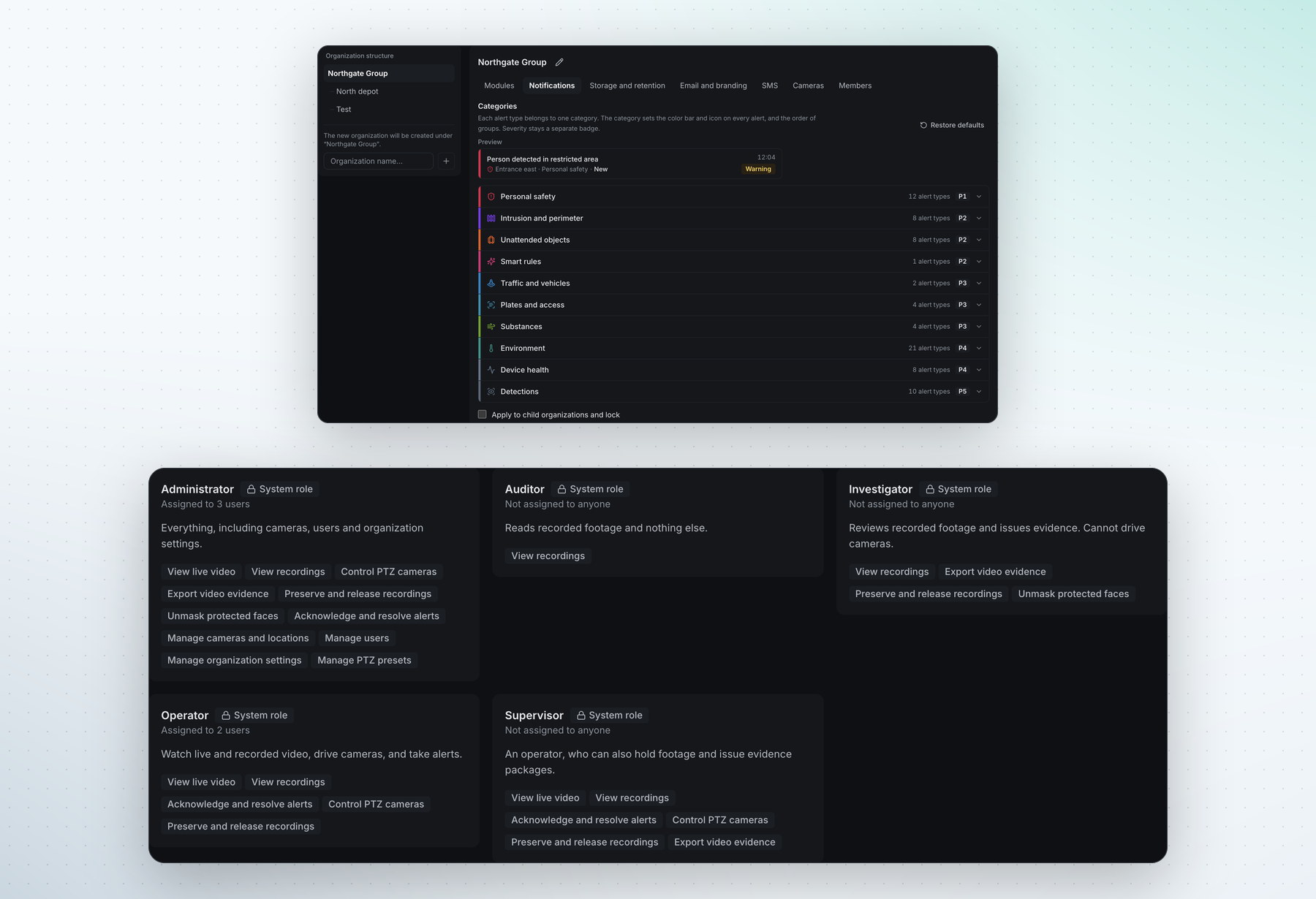
Sites sit in one organization tree. Head office sets modules, retention and notification rules once, and each site runs its own cameras and people.
Each team sees its own cameras
Traffic sees junctions and parking, security sees alerts and search, and an auditor reads recorded footage and nothing else. A person can be limited to the cameras of one building.
Handover between shifts
At each shift change a handover report is emailed to the incoming team: alerts raised and still open, how fast they were acknowledged, cameras that went down and the notes of the outgoing shift.
Retention you can prove
The system health view lists the cameras whose footage is kept for less time than the policy says, before an inquiry needs the footage.
Every view on record
Every view of a recording, every export and every refused attempt is written to an audit trail kept for two years, filtered and downloaded for an inspection.