

Recordings and Evidence
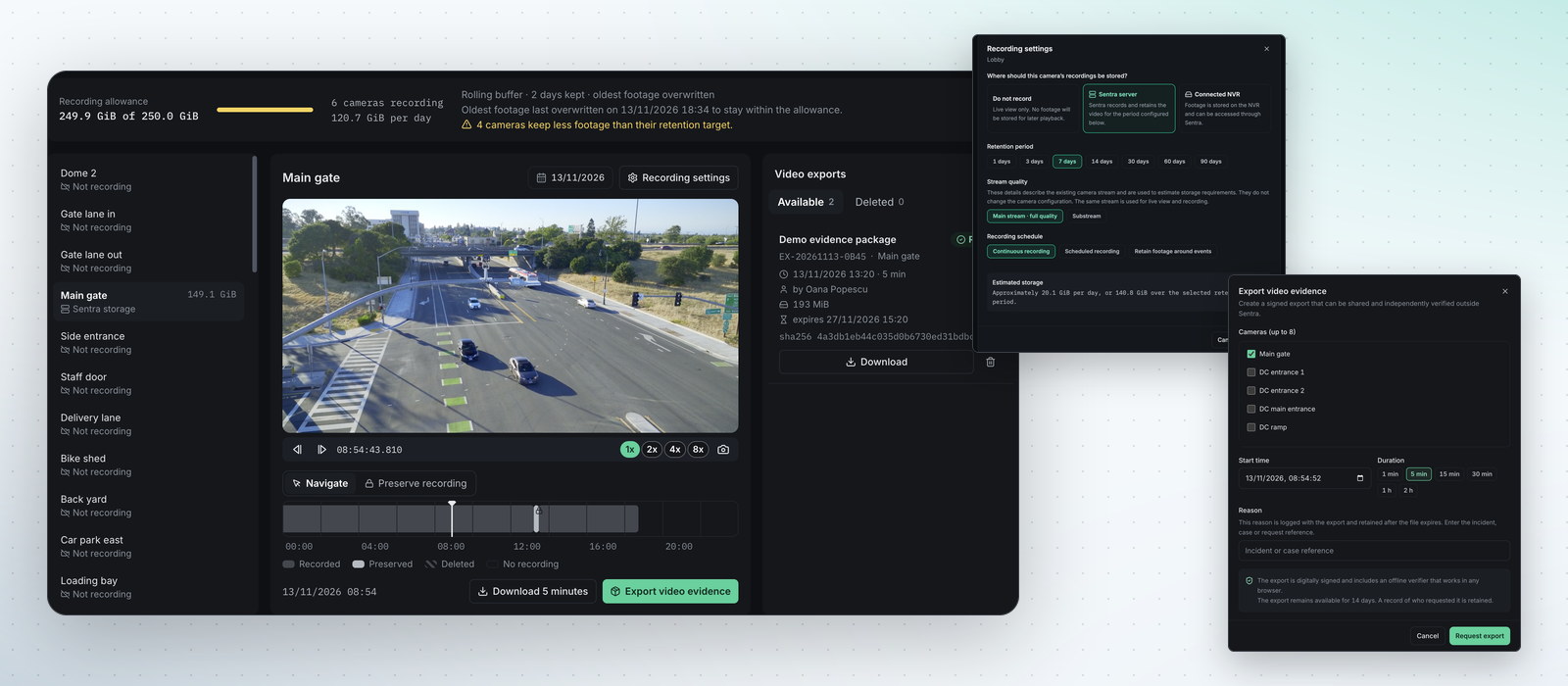
Recording is a policy per camera. The options are none, on the platform or on the recorder's own disks, continuous, on a schedule or on events. Footage is browsed on a calendar and a timeline, kept beyond retention, and exported as a signed package with its own offline verifier.
Recording policy
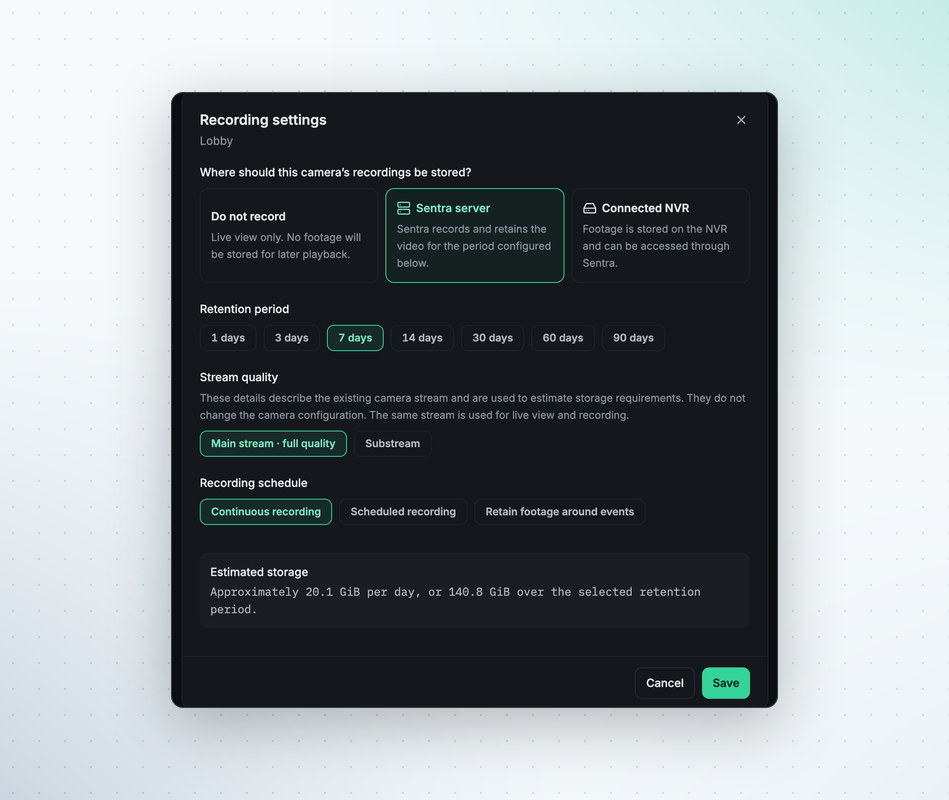
Continuous, scheduled or event driven, full quality or substream, retention from one to ninety days, with the storage cost stated before saving.
Kept footage
A range dragged on the timeline stays until someone with the right permission releases it, even after the camera stops recording.
Signed evidence
A package with its own offline verifier, a reason recorded against the export and an entry in the audit trail.
The day at a glance, and the minute you need

Recorded, kept, deleted
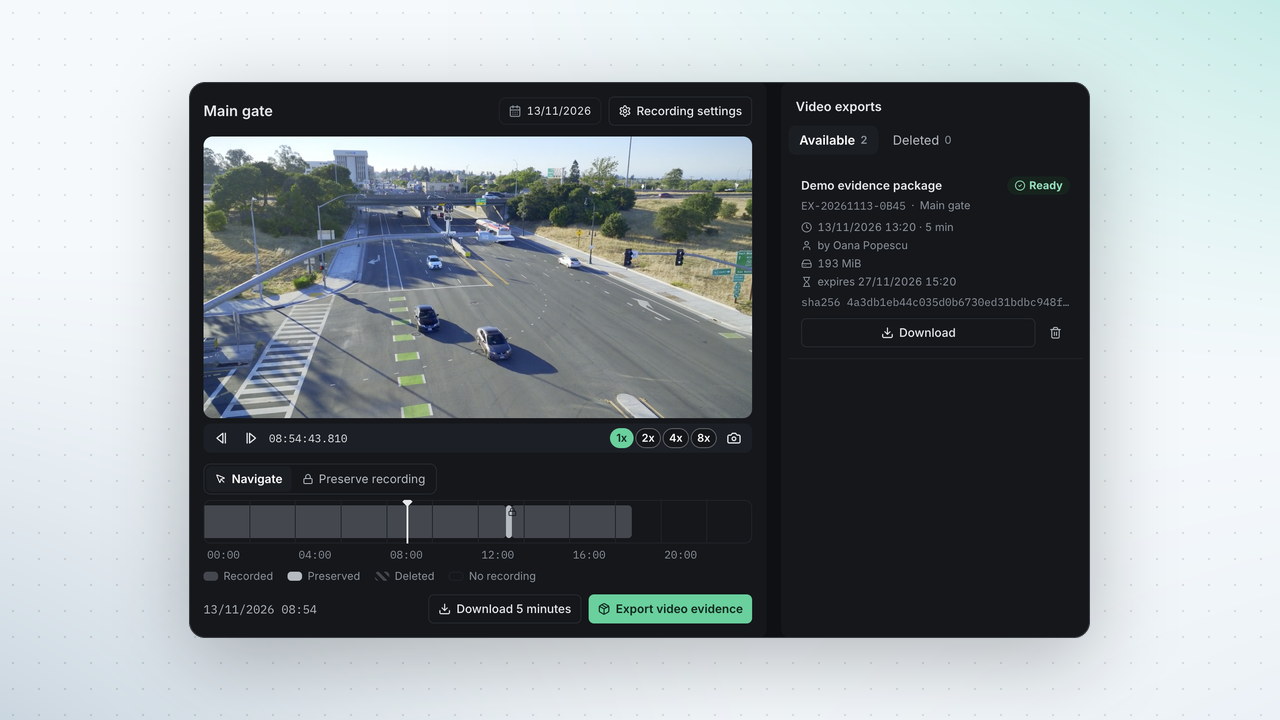
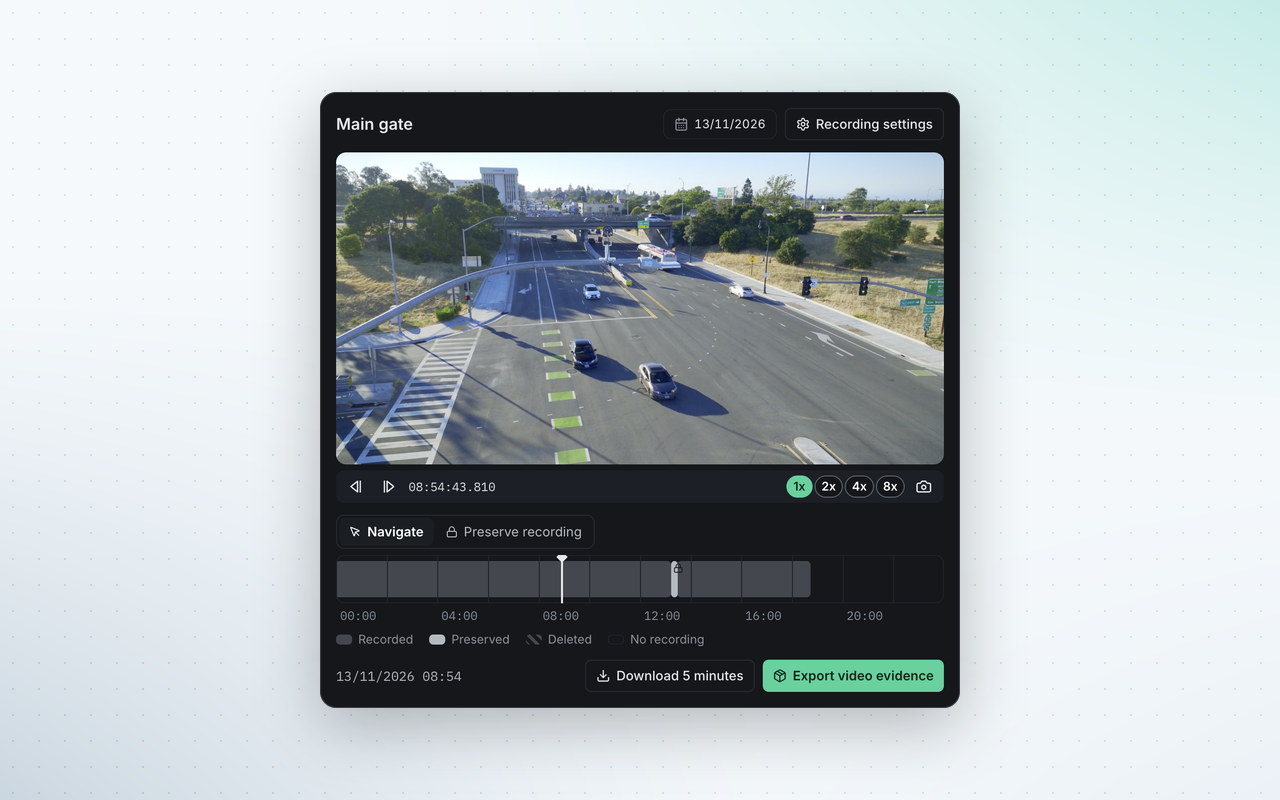
The day is drawn as recorded, kept, deleted or not recorded, and the calendar marks the days with footage.
Five minutes from the cursor
A download starts at the chosen moment while the footage converts, including newer codecs.
A signed package
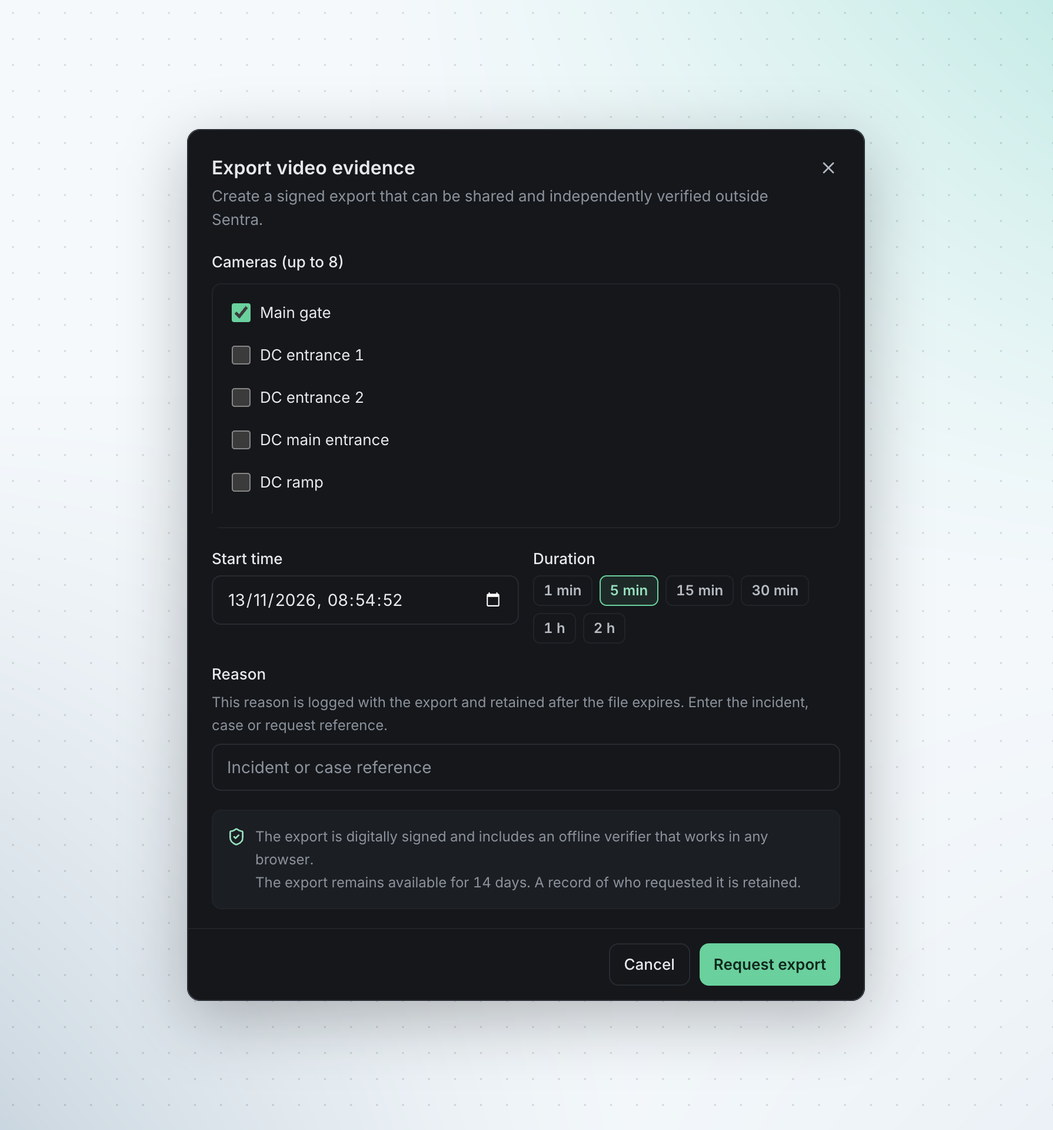
An export with the cameras, the period and the reason, verified offline in a browser.
Recording policy and storage
Storage location, retention, stream and recording mode are set in one dialog: continuous, by a schedule of hours and days, or footage kept around events only. A stretch of the timeline can be preserved by hand so it outlives the retention period. The dialog states the consumption per day and in total before saving, and the storage bar on the recordings page shows the estate total, the daily rate and the day the volume will be full.
Evidence export
An export takes the cameras, a start time, a length and a reason, which is recorded against the export and kept after the package is deleted. The package is signed and carries a verifier that checks it in a current browser, with no account and no connection to the platform. Stored and deleted packages are listed per camera.
- Watermarked screenshots from the live view
- Five minute downloads from the timeline cursor
- Footage held on an existing recorder played back in the same window
Recording timeline
The day is drawn as recorded, kept, deleted or not recorded, and the calendar marks the days with footage. Playback starts at the chosen moment while the footage converts, including footage recorded in newer codecs.
Frame by frame
The player runs footage at 1x, 2x, 4x or 8x, steps one frame back or forward, and saves the current frame as a picture. Footage played from a recorder's own disks runs at 1x and is not stepped, since the recorder sends it in real time.
Signed packages for one subject across several cameras are built from a case file, with a clip at each sighting.
See it on your own cameras
A demo can run on your cameras or on a Sentra demo site, self hosted or hosted by Sentra. Tell us which events and figures you need, and we prepare it.