
Education
Sentra gives a school one picture of its gates, corridors, yard and the rooms where a camera is not acceptable, on the cameras it already has. The barrier at drop off, the corridors during the break, the toilets with a sensor instead of a camera, the fence after hours and the record of each incident, in one console for the guard, the duty teacher and the principal. The platform runs on a server the school owns or hosted by Sentra, and every view of a recording is written to the audit trail.
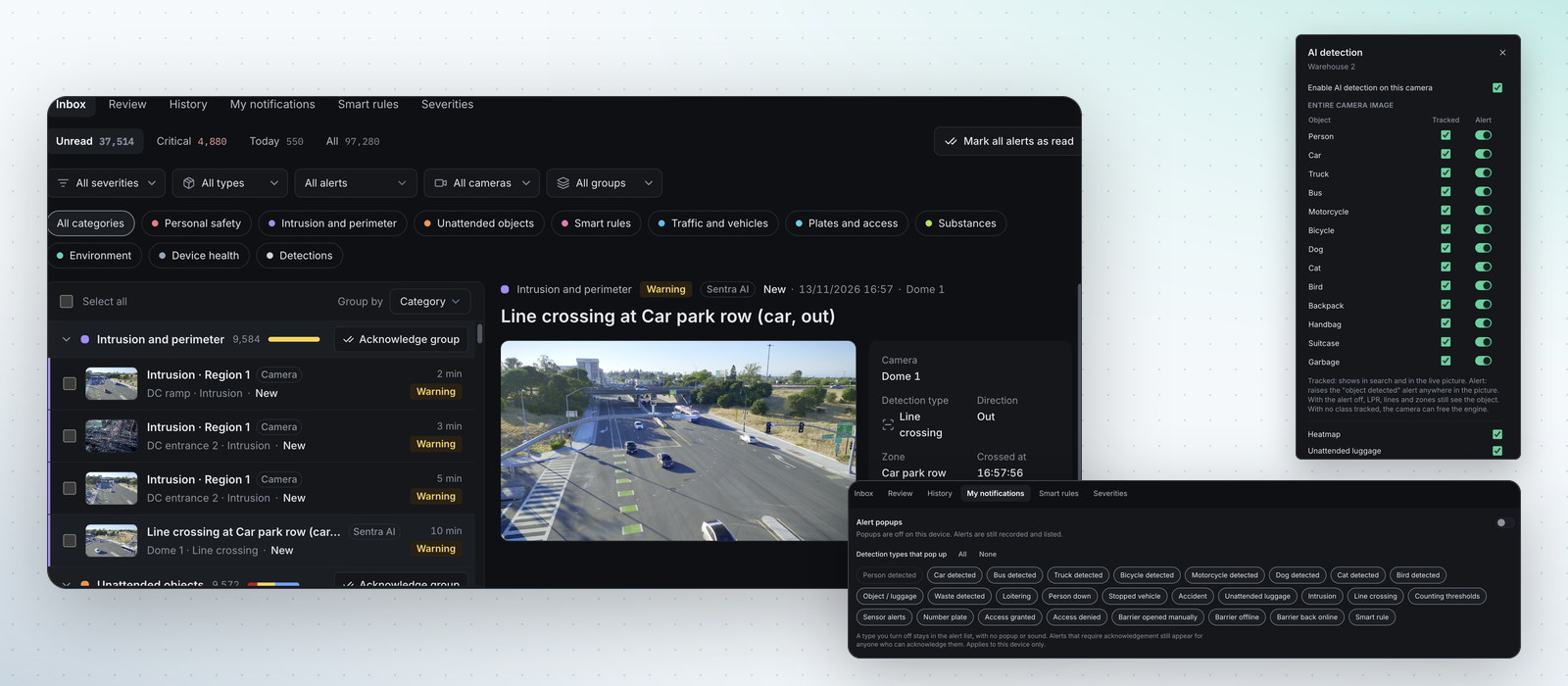
Vaping, smoke, aggression and calls for help detected without an image.
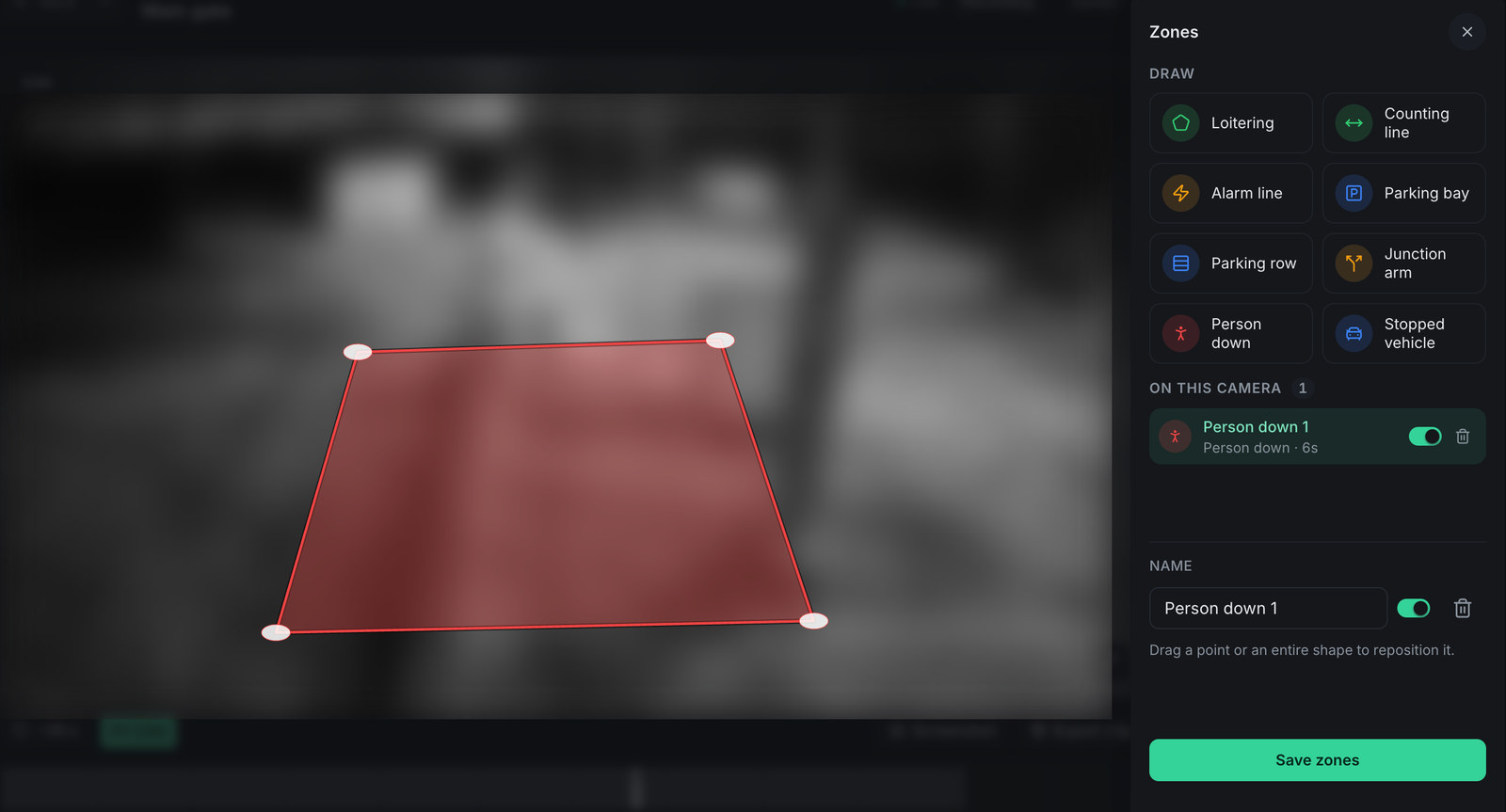
An area drawn on the stairwell camera raises an alert when someone stays on the ground.
Counting lines give occupancy per corridor and an alert when a threshold is passed.
Who opened which recording, and when, kept for two years.
A school day
The same cameras, sensors and rules from the first shift to the night. All use cases
- 07:30Drop off
Parents' cars queue at the drop off. The barrier opens for the staff and the school bus on the list, and every plate is recorded with a picture.
Access Control - 10:20Corridor
Counting lines at the ends of the corridor show its occupancy during the break; above the threshold, the duty teacher gets an alert.
Counting - 11:05Toilets
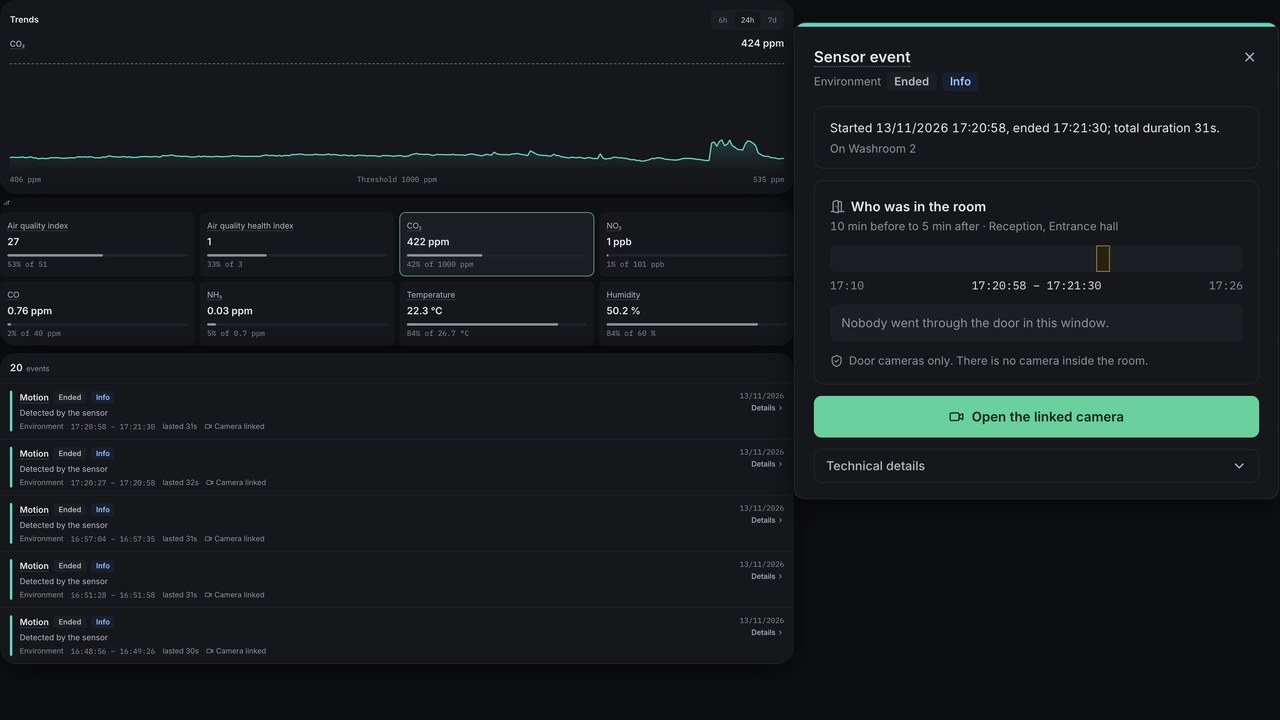
A sensor detects vaping, with no camera in the room. The door camera shows who went in before and who came out after.
Sensors - 14:40Stairwell
Someone stays on the ground on the stairs. The alert reaches the duty teacher on the phone with a clip, and clears when the spot is empty.
Zones and Rules - 21:30Fence
A person crosses the fence after hours. The guard gets the alert with a clip on the phone, and the morning's handover report lists it for the principal.
AI Detection and Alerts
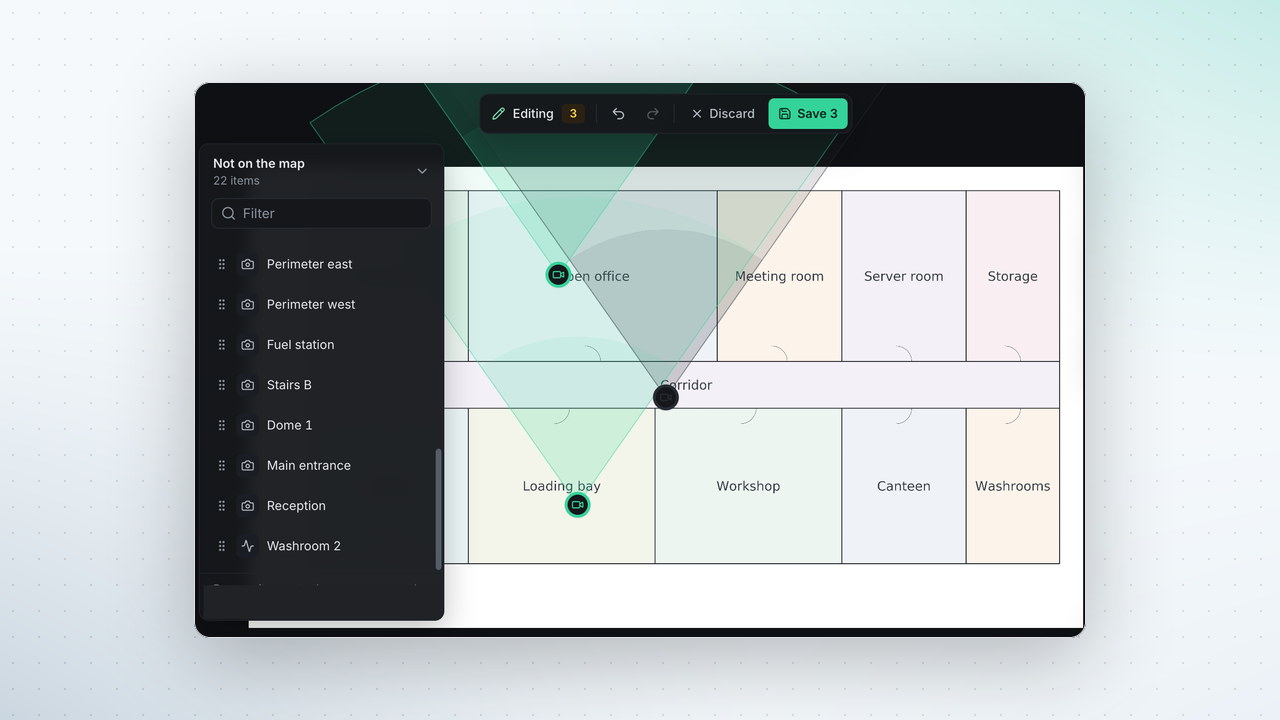
The school on the floor plan
The building's drawings become floor plans, level by level, with the corridors and rooms, and every camera and sensor sits on them with its state. When an alert arrives, the duty teacher sees which corridor, which stairwell, which door, and the cameras around it. A camera that goes dark or is blocked is flagged on the plan, not discovered after an incident.
A campus with several buildings, or the schools of one administration, sits on one map in one organization tree. The recorders the school already owns connect with their channels and retention.
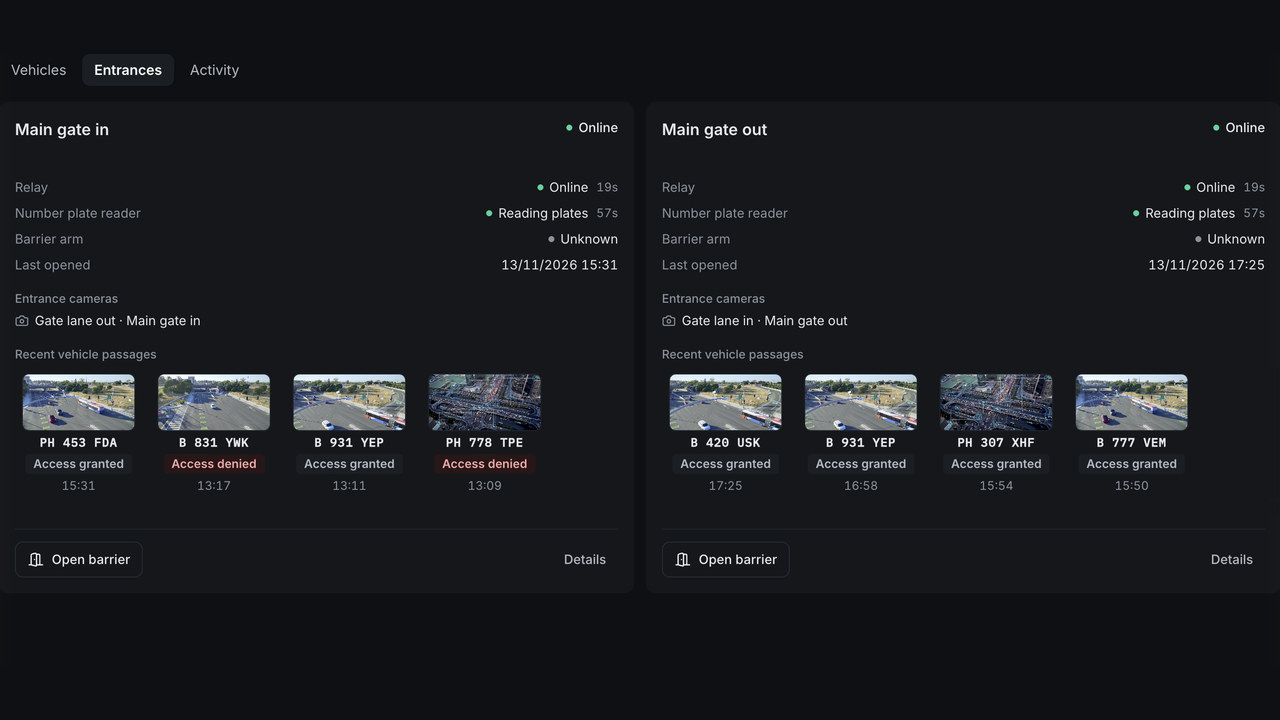
Drop off at the gate
Parents' cars, staff cars and the school bus are read at the gate camera. The barrier opens for the vehicles on the list, logs every passage with a picture, and keeps a manual open for the guard. A vehicle on the watchlist raises an alert at the gate with its picture.
- A counting line at the pedestrian gate gives the entries since the morning
- A vehicle stopped in the drop off lane longer than allowed raises an alert
- The gate cameras open as a saved wall on the guard's screen for the drop off and the pick up
Corridors, stairwells and the yard
A person down area on the stairwell cameras raises an alert when someone stays on the ground longer than the time set, and clears itself when the spot is empty. Counting lines at the ends of a corridor give its occupancy during the break, with an alert above the threshold. Loitering zones cover the back entrances and the bike shed.
Heatmaps of the yard show where pupils gather and when, by day, week or month, so supervision during the break goes where it is needed.
Toilets and locker rooms, with no camera
Where a camera is not acceptable, a sensor does the work: vaping, smoke, aggression, a call for help or a device pulled off the wall. The event reaches the same inbox as the camera alerts, with no image of anyone, and the door cameras show who went through the door around the event.
The same sensors measure carbon dioxide, temperature and humidity in the classrooms, with a history per room and an alert when a room needs airing.
Rules that follow the timetable
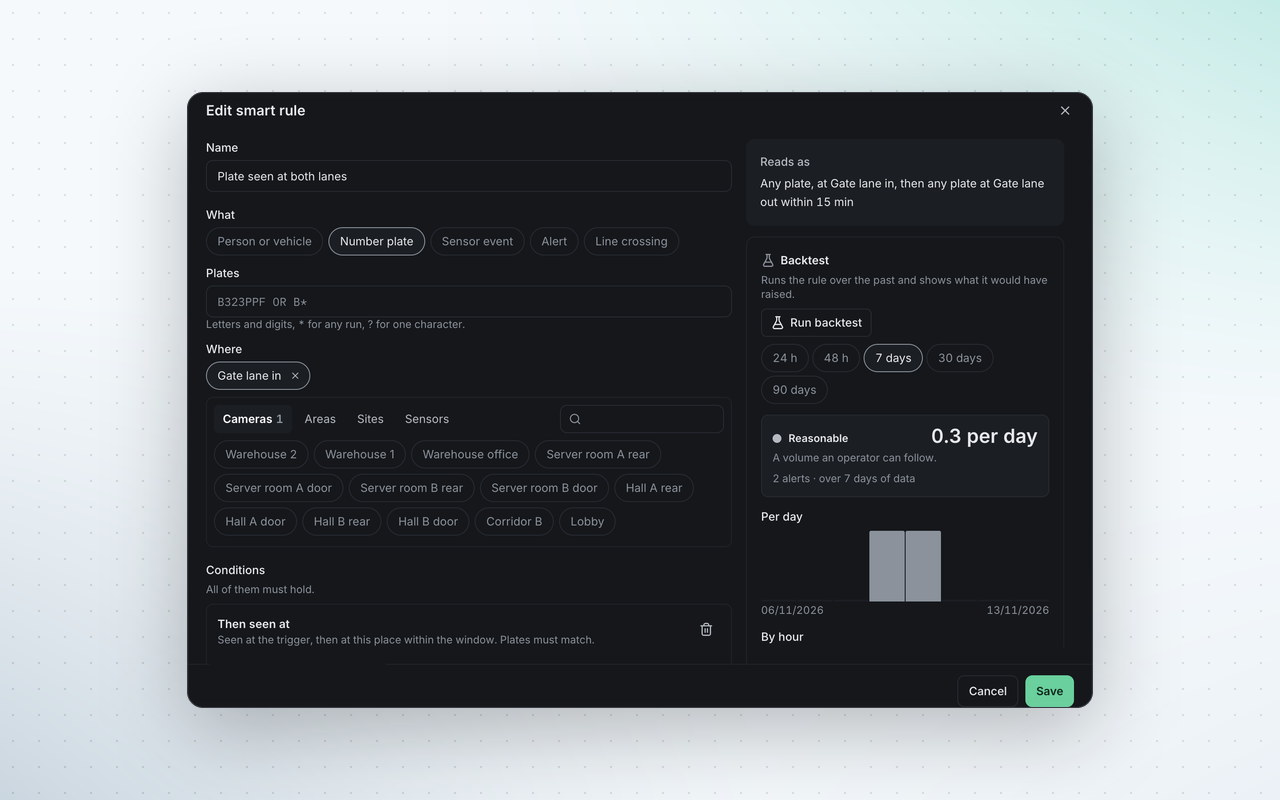
Smart rules combine tracks, plates, sensor events and alerts: a person in the yard during lessons, a vehicle in the yard during the break, the back door open during the day, anyone on the premises after the last activity, two sensor events in the same toilets within an hour.
A rule runs on the last weeks of recordings before it goes live, so the staff see how many alerts it would have raised and which. Severities are set per school: the duty teacher gets a push on the phone, the guard a pop up with a sound, the principal an email.
Planning cameras for a new wing or the yard
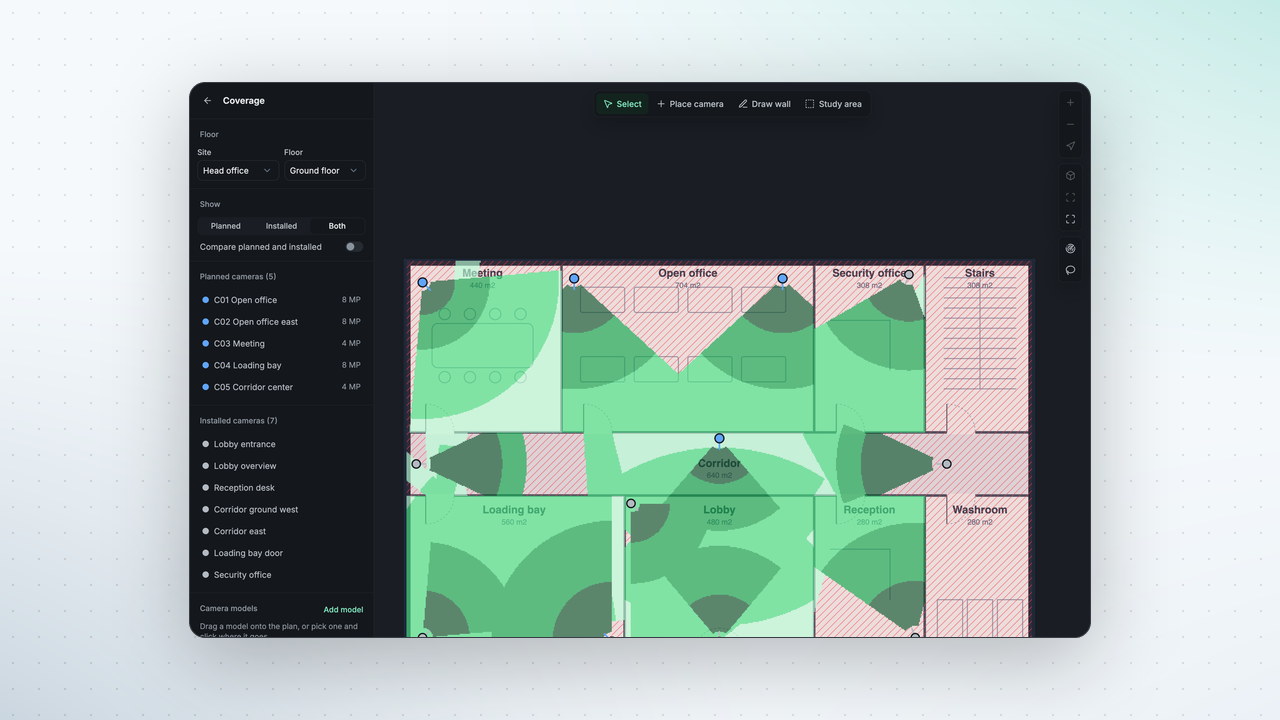
Before the school buys cameras for the new wing, the sports hall or the yard, the planner places them on the real drawing and shows what each one would detect, observe, recognize or identify, with the blind spots. The printable study goes into the funding file and the tender.
After the installation, the plan is checked against what was built, planned and installed side by side.
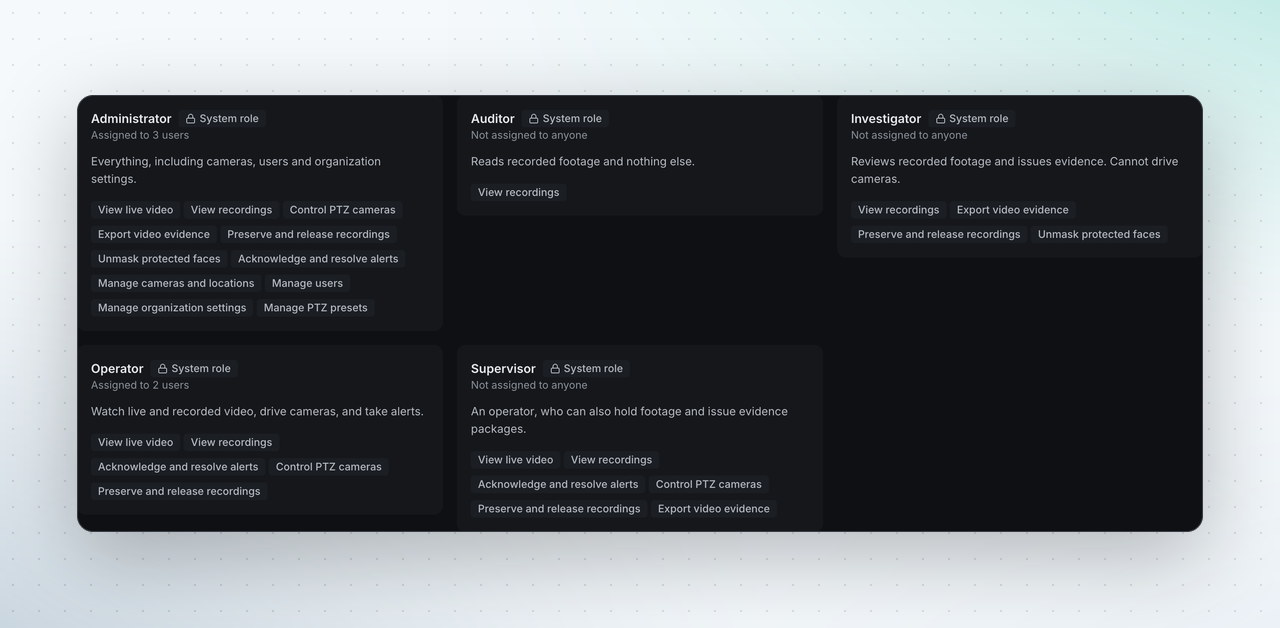
Who sees what
Each person holds one role. The guard sees the live cameras and the alert inbox, the duty teacher gets alerts on the phone, the principal sees the reports, the secretary keeps the vehicle list, and an inspector reads recorded footage and nothing else.
- Five built in roles, plus custom roles from the same list of rights
- Cameras restricted per person, so the staff see the cameras of their own building
- No face is identified: the platform works on objects, counts and events
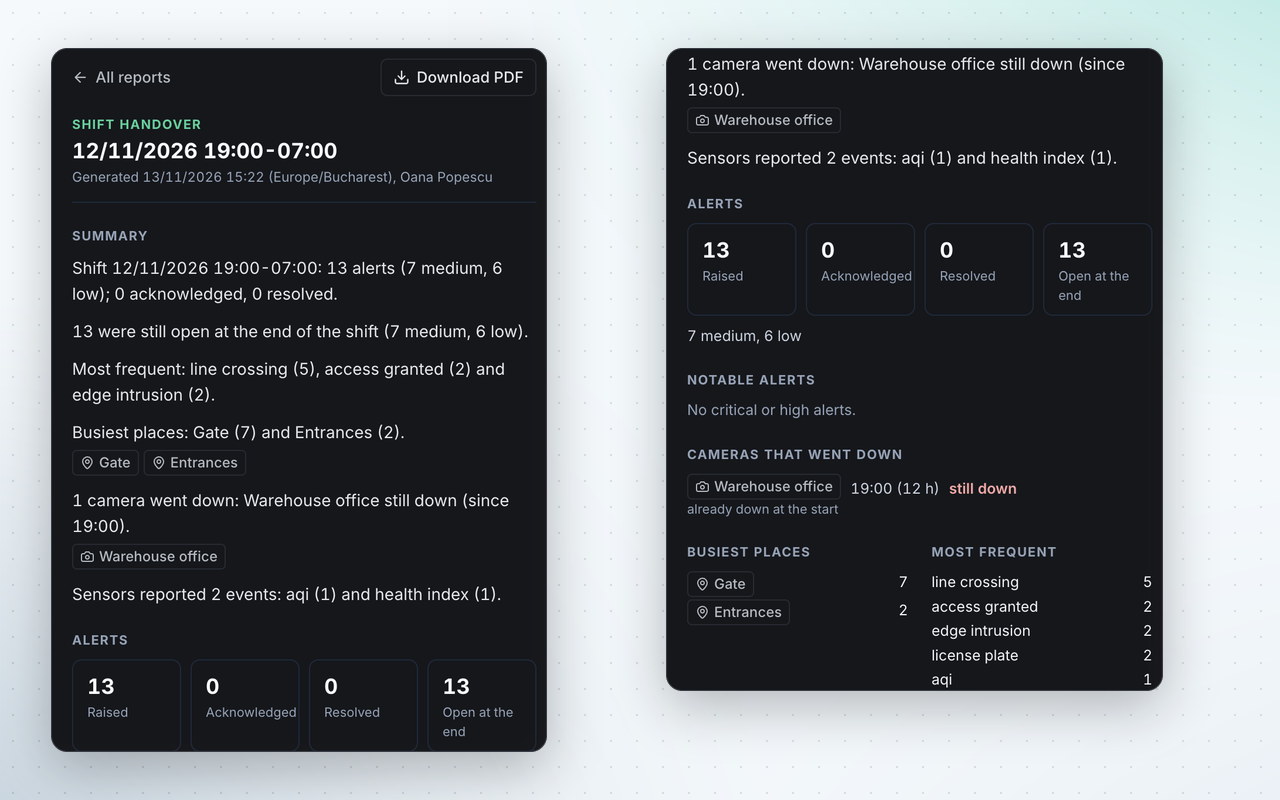
The morning handover and the week's report
At each shift change the platform writes the handover: what happened in the night, which cameras went down, what is still open, with a note for the next shift, sent by email as a PDF. The assistant keeps a situation summary for the principal and answers questions in plain language, with its sources, when a language model is connected.
The weekly report with the entries at the gate, the alerts per building and the sensor events in the toilets goes to the principal by email on a schedule.
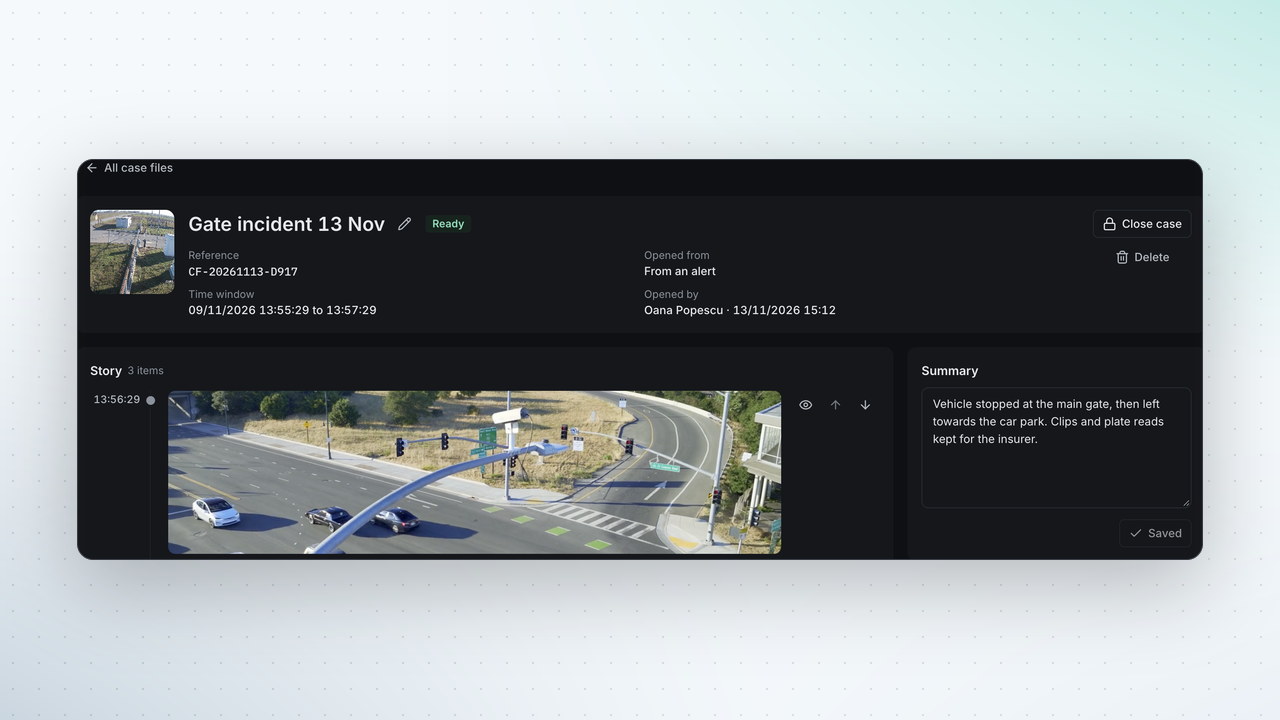
Incident records for the inspectorate
An incident becomes a case file: the alert with its picture, the clips around it from the cameras that saw it, the sensor event, the notes of the person who handled it, in time order, with a summary. The case leaves as one signed package, with the reason for the export recorded, and the inspectorate, the parents or the police can verify it without access to the platform.
Retention is set per camera and checked against what was promised, and every view of a recording is written to the audit trail.
Capabilities on this page: Map, Access Control, Counting, Heatmaps, Sensors, Zones and Rules, AI Detection and Alerts, Coverage Planning, Assistant and Shift Handover, Investigations, Reports and Audit.
See it on your own cameras
A demo can run on your cameras or on a Sentra demo site, self hosted or hosted by Sentra. Tell us which events and figures you need, and we prepare it.