Mobile App
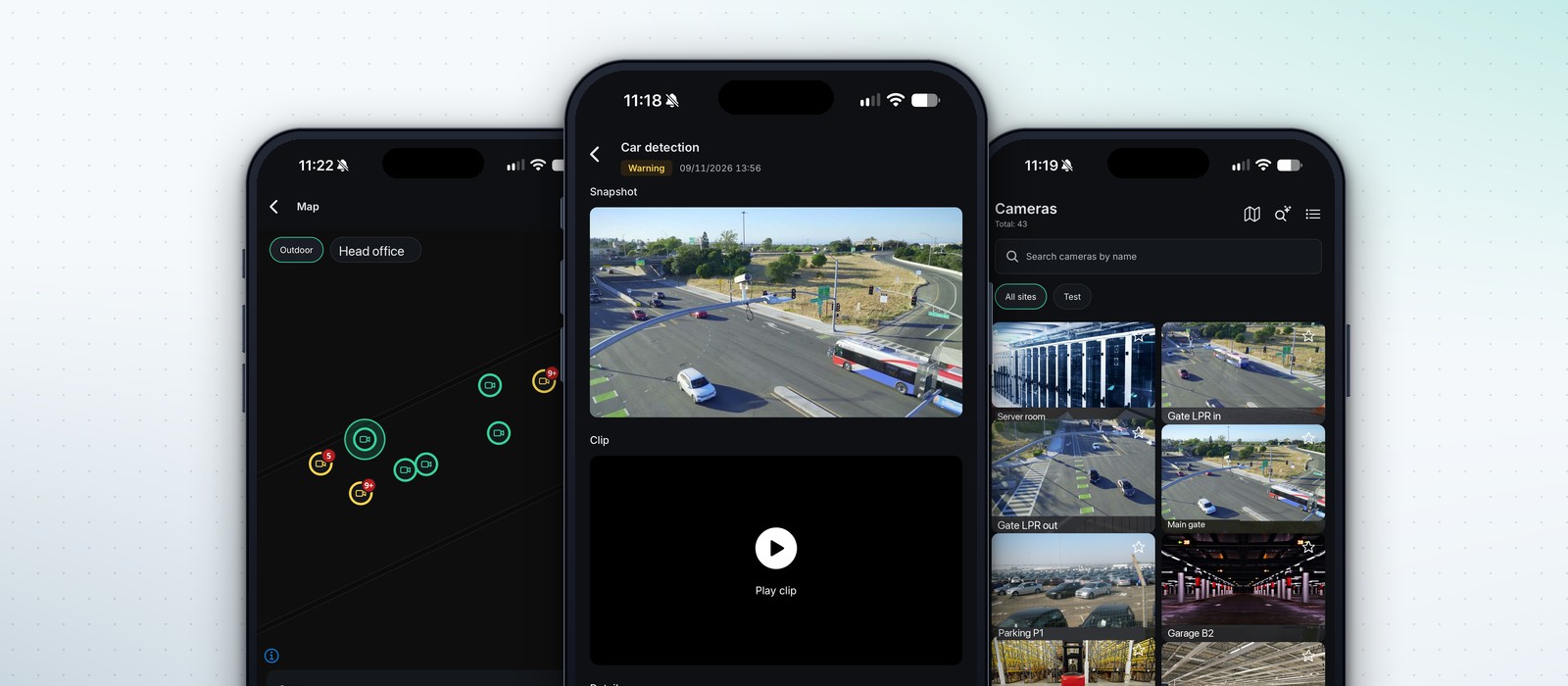
The Sentra app brings the console to the phone: every camera live, the alerts with their snapshot and clip, AI search by description and the site map, on iOS and Android. It signs in with the same account and the same roles as the desktop, so each user sees the cameras and alerts they are allowed to see, and nothing else.
Live video
Every camera, full screen, portrait or landscape.
Alerts in hand
A push with the snapshot, acknowledge and resolve on the spot.
AI search
Describe what you look for and jump to the moment.
Same account
Roles and camera rights follow the user to the phone.
The console in the pocket
The same cameras, alerts and search as on the desk, with the same account and the same rights, on iOS and Android.
Every camera, one tap away
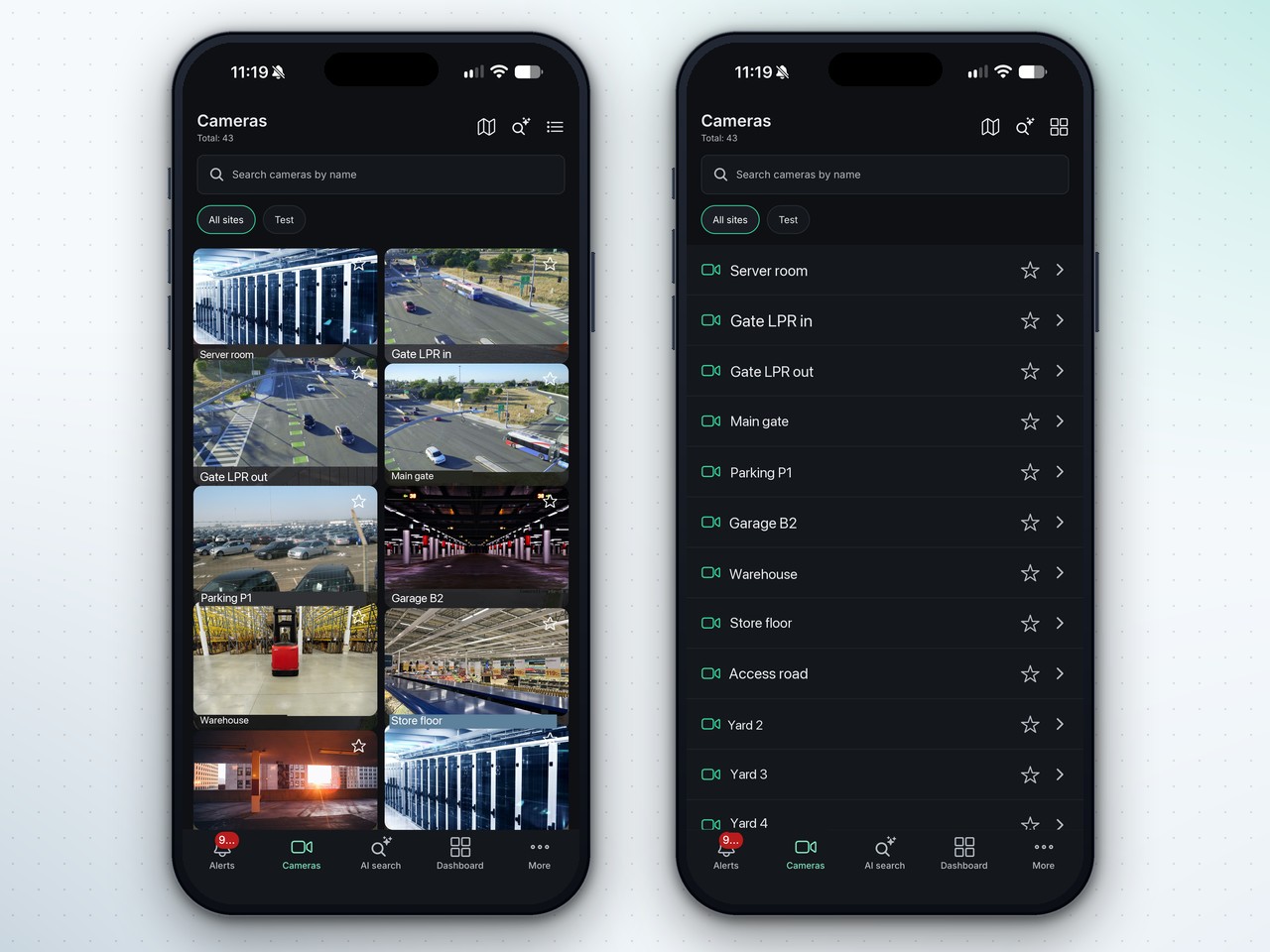
The camera list shows a fresh thumbnail for each camera of each site, with favorites on top and filters by site and group. A tap opens the live picture, full screen when the phone is turned.
One screen further sit the camera's site, its recording state, the stream details and the AI detection settings, read only or editable according to the user's role.
Alerts that reach the right person
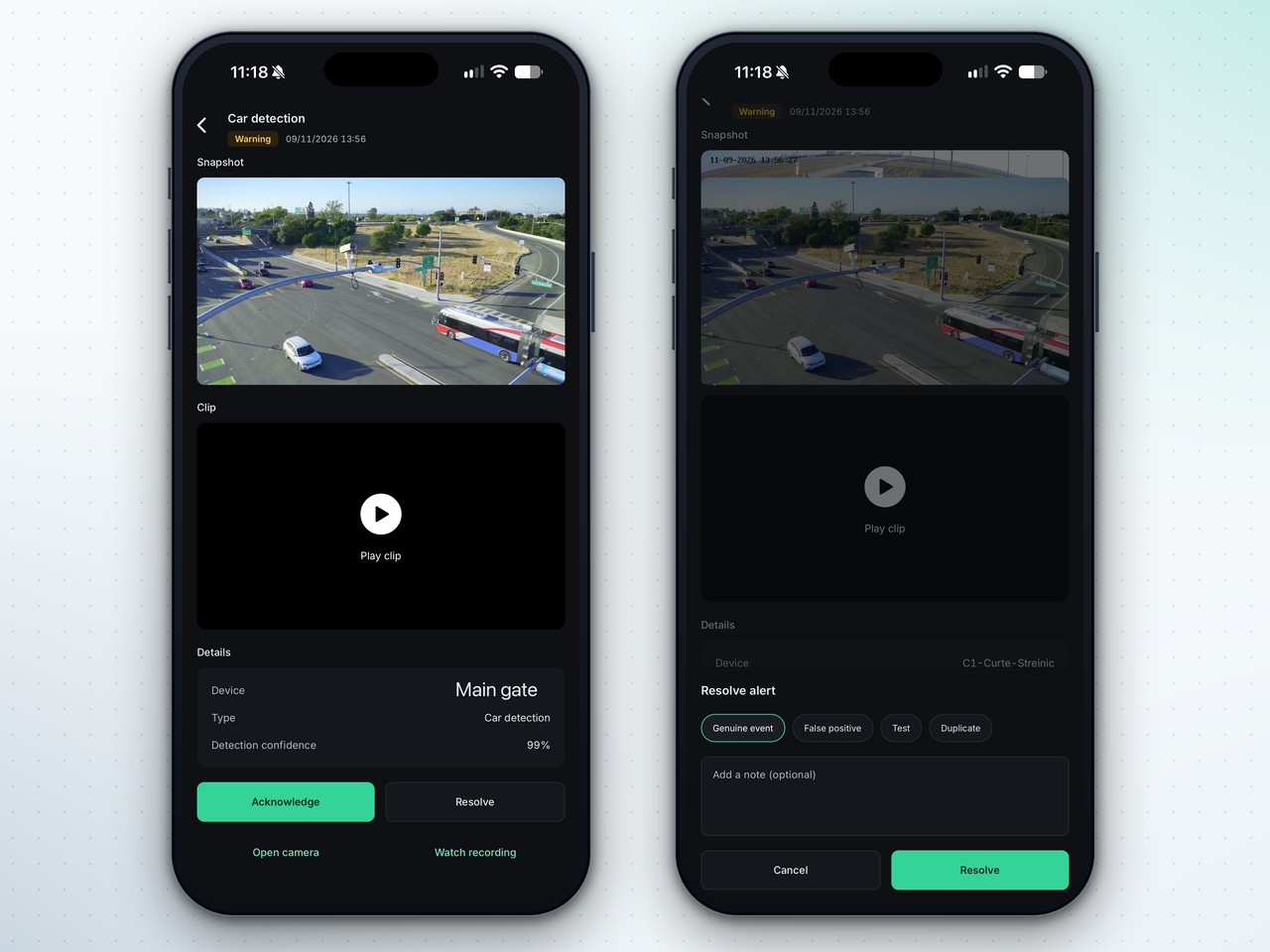
Notification rules decide who gets a push for what: a severity, a camera, a time window. The alert opens with its snapshot, the clip and the detection confidence, and it is acknowledged or resolved from the phone, with the reason and a note.
- Genuine event, false positive, test or duplicate, written to the audit trail
- Filters by severity, period, device and acknowledgement state
- The camera and the recording one tap away from the alert
Search by description
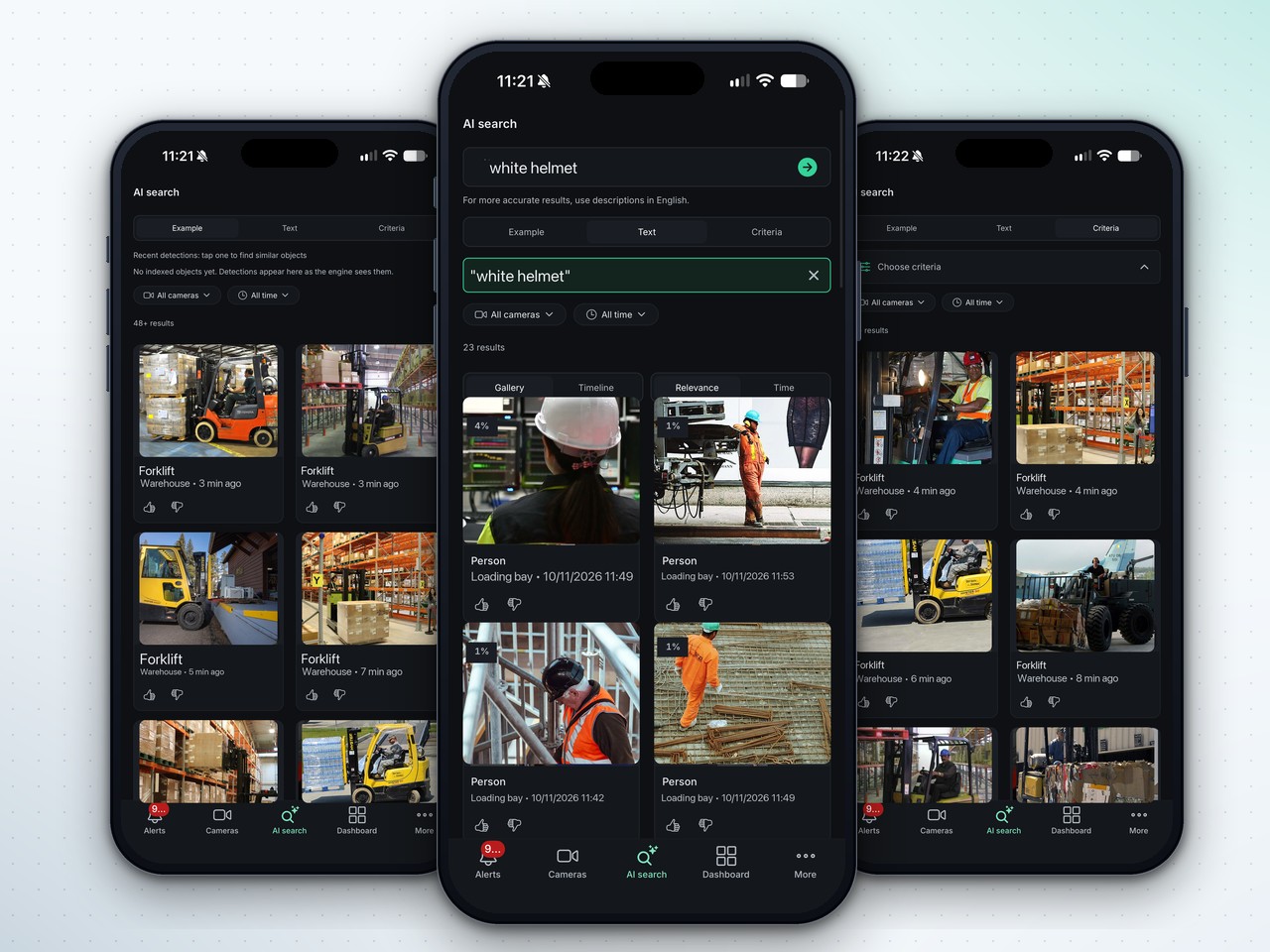
AI search takes plain words: a white helmet, a forklift, a white van. Results come back ranked, with the camera and the time. One tap shows where it was seen and opens the recording from that moment, another finds similar detections across the site.
The site map in the pocket
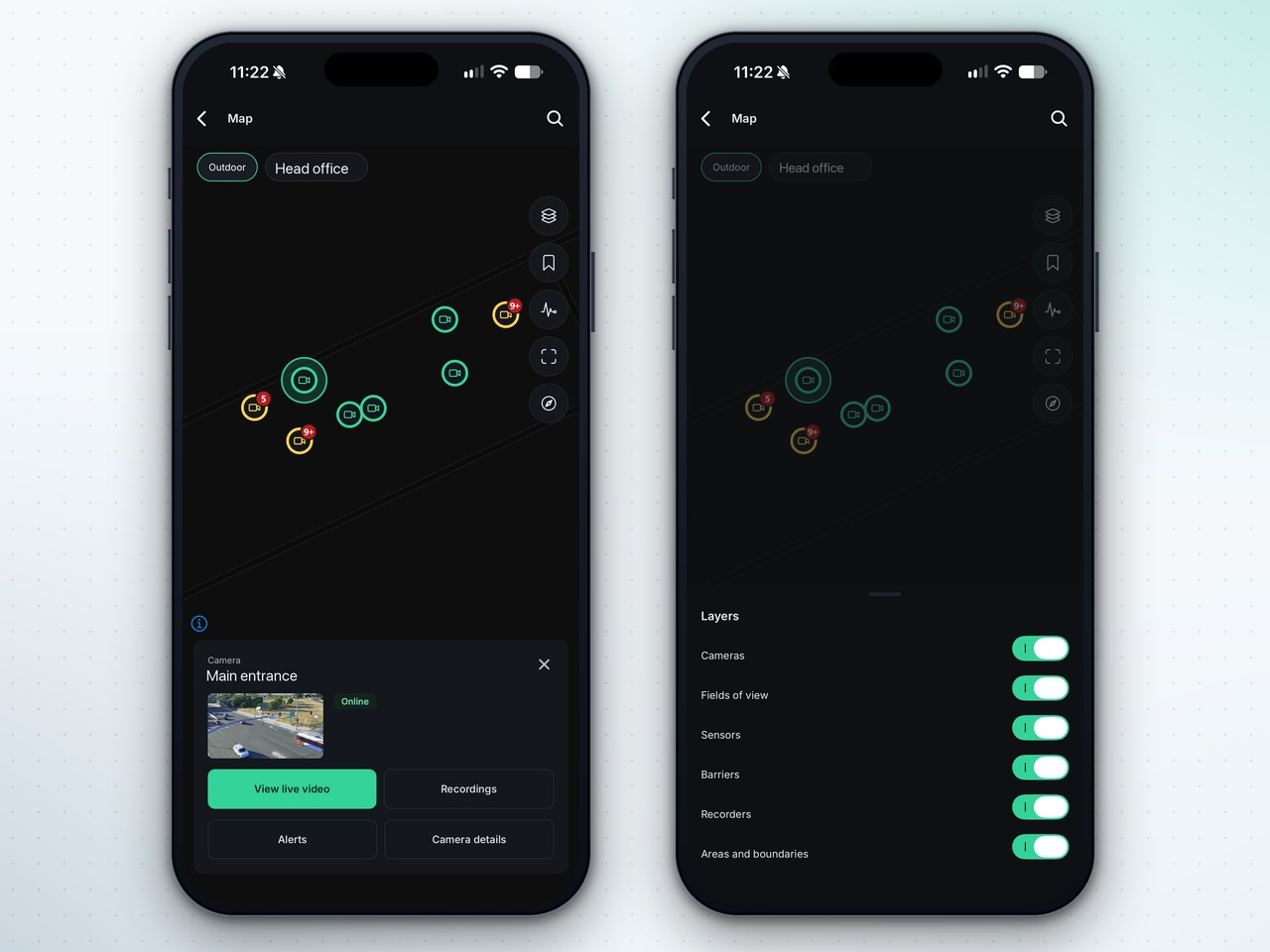
Cameras, sensors, barriers and recorders sit on the same map as in the console, with their live state. Layers switch fields of view, areas and boundaries on and off, and a device opens to live video, recordings, alerts and details.
Follow a vehicle or a person on the map
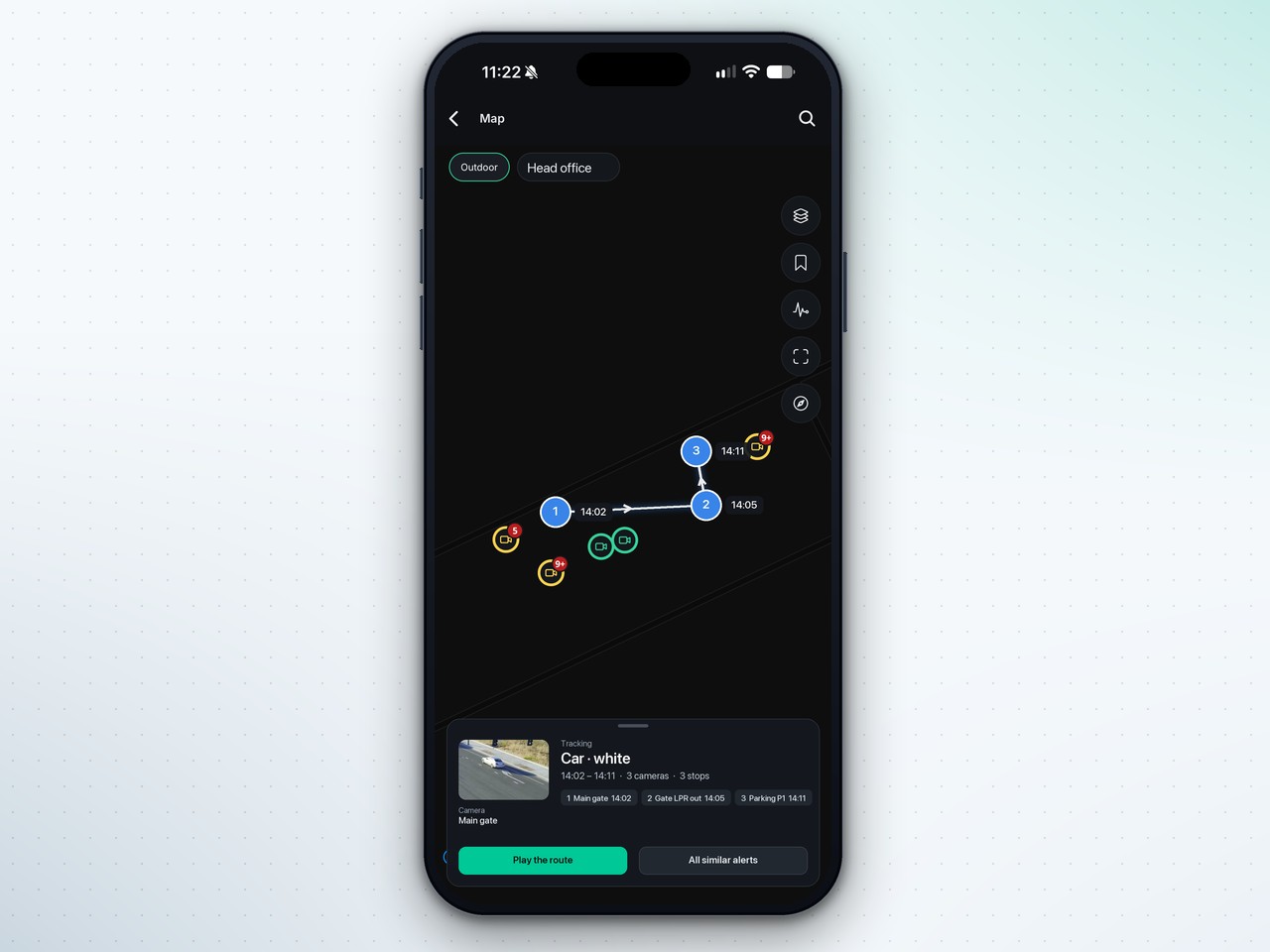
Pick a car or a person and its route draws itself across the cameras, stop by stop, with the time at each one. Play the route, open the recording at any stop, or list every similar alert from the same sheet.
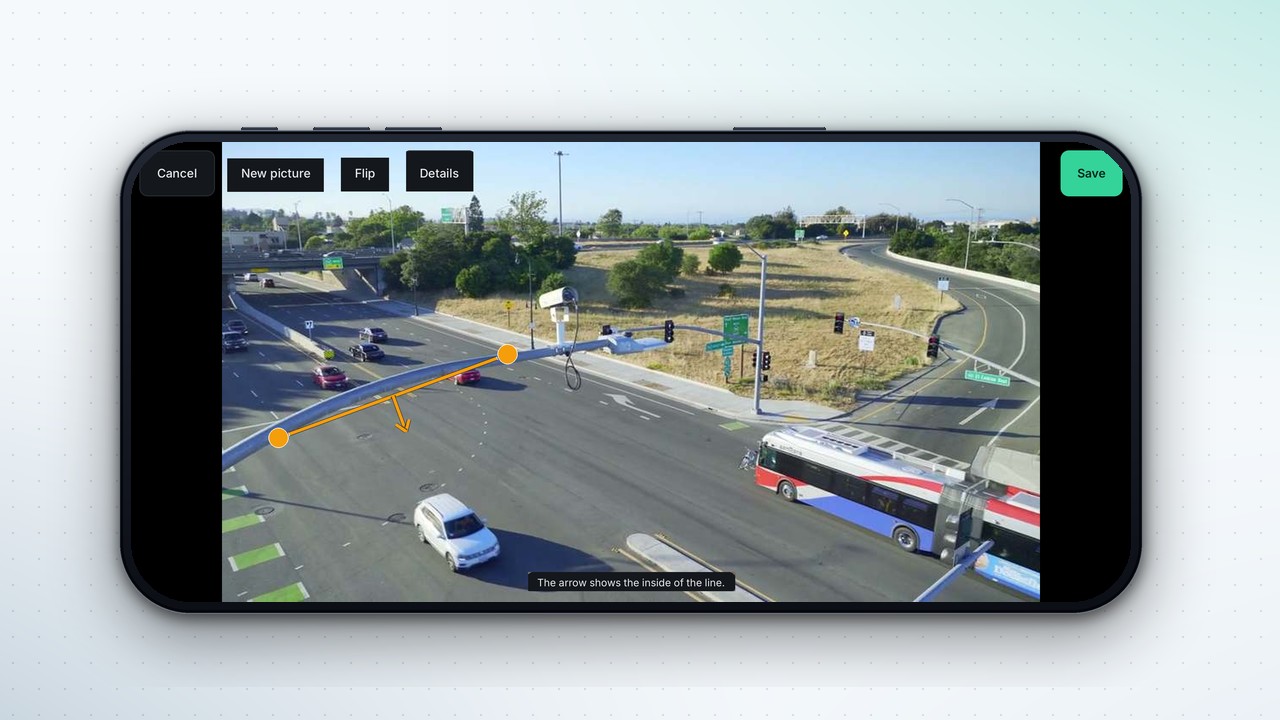
Alarm lines drawn on the phone
A line is drawn on the camera picture with the phone in landscape, its direction is set with one flip, and every crossing arrives as an alert like any other detection. The line editor is the same one the console uses, so a line drawn on site at the gate is the line the control room sees.
Get the app
Sentra is on the App Store and on Google Play. It needs a Sentra account from the organization and signs in with the same credentials as the console. Face ID on iPhone and biometric unlock on Android, automatic lock after a chosen time, light and dark appearance, English and Romanian.
See it on your own cameras
A demo can run on your cameras or on a Sentra demo site, self hosted or hosted by Sentra. Tell us which events and figures you need, and we prepare it.