

Retail
Sentra gives a store, and a chain of stores, one picture of the doors, the shop floor, the back door and the car park, on the cameras and recorders already installed. Footfall and occupancy per store and per hour, where customers stop, the back door after closing, a loss reconstructed across the cameras and the Monday report to the regional manager, in one console. Footage stays on a server the retailer owns or in an isolated tenant hosted by Sentra in Romania, and every view is written to the audit trail.
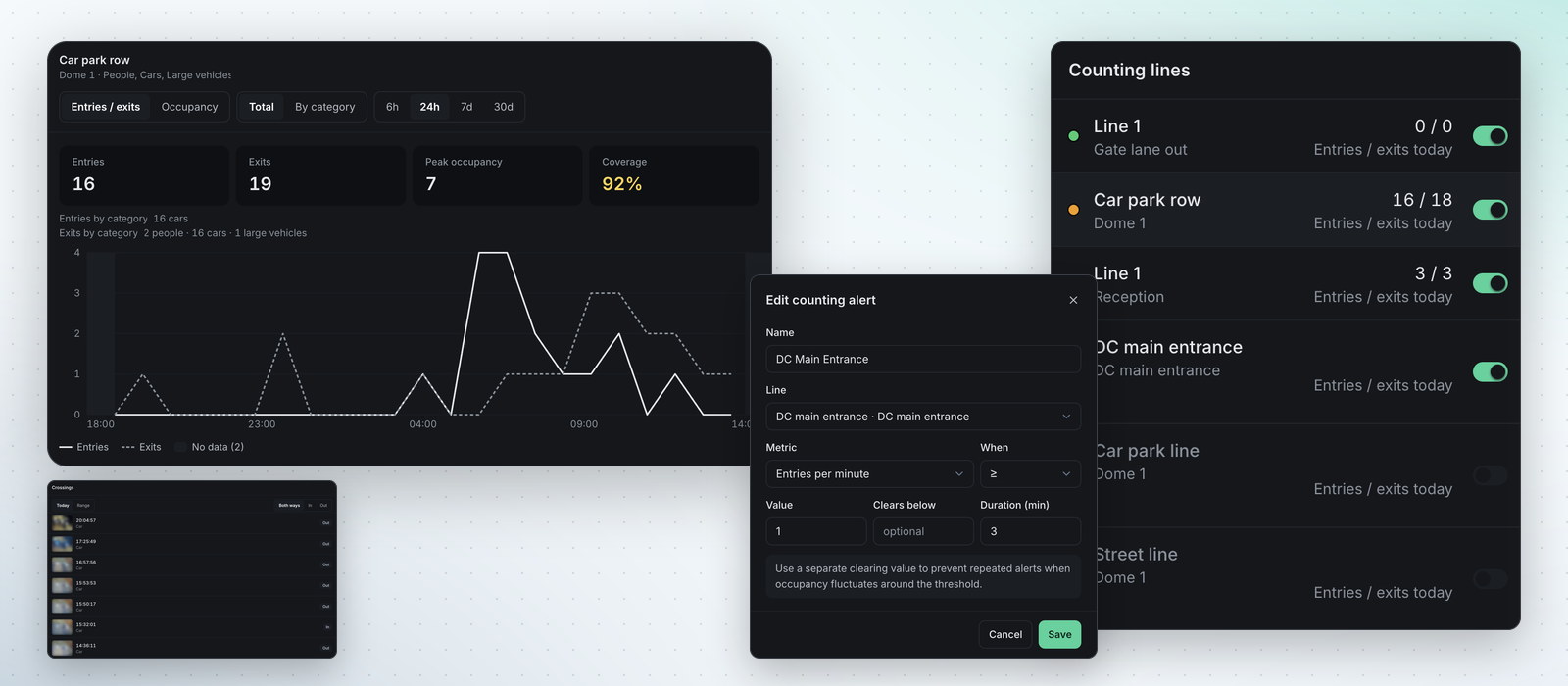
Entries, exits and occupancy from counting lines drawn on the door camera.
Traffic and dwell drawn over the camera's own view, by day, week or month.
A person in the store or at the back door after hours raises an alert with a snapshot and a clip.
Stores, cameras and people in one organization tree, with reports by email.
A day at the store
The same cameras, sensors and rules from the first shift to the night. All use cases
- 09:00Doors
The store opens. The counting line at the door gives entries, exits and the occupancy of the floor through the day.
Counting - 13:00Shop floor
The heatmap shows which aisles customers walk past and where they stop, by hour, so the end caps and the promotions go where people are.
Heatmaps - 16:30Loss prevention
A missing item: the person is followed from the shelf to the exit across the cameras, and the case file goes to the police as a signed package.
Investigations - 22:05Back door
An alarm line on the back door is crossed after closing. The clip reaches the person on duty on the phone, and the handover lists it for the morning.
Zones and Rules - MondayHead office
The regional manager's report arrives by email: footfall, occupancy and incidents per store for the week.
Reports and Audit
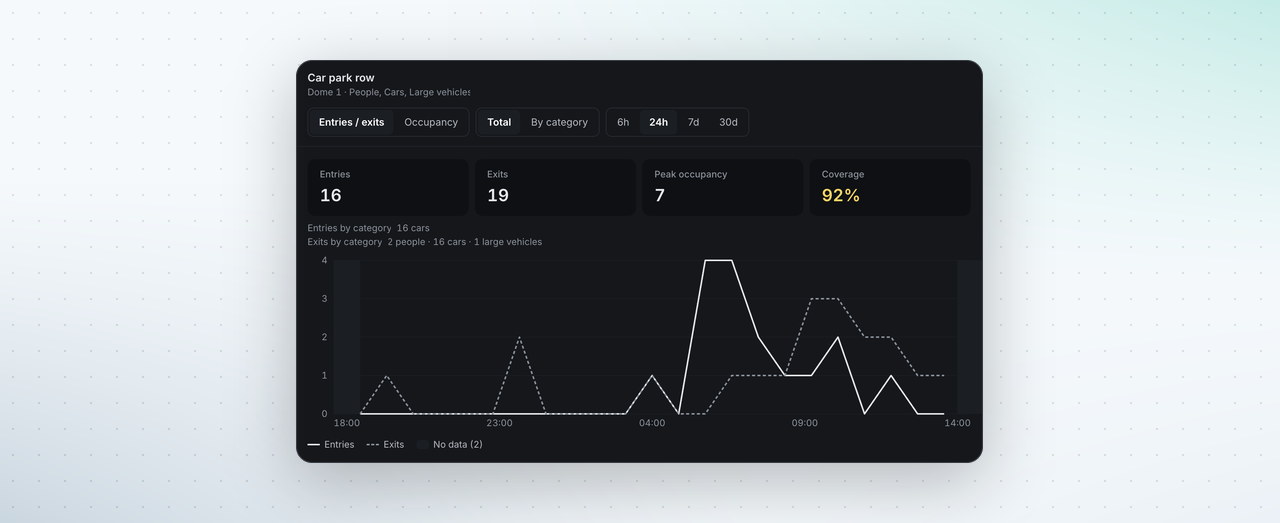
Footfall and occupancy at the doors
A counting line on the door camera counts people in and out, with a picture of each crossing. The page shows entries, exits and the peak occupancy of the floor for the day, the week or a chosen range, per store and per hour, and states for each window how much of it was covered, so a gap in the footage shows as a gap and not as a quiet hour.
- Conversion, once the checkout figures are set against the entries
- Occupancy live, with an alert when it stays above the limit of the store
- The same counts for the mall entrance, the food court and the car park
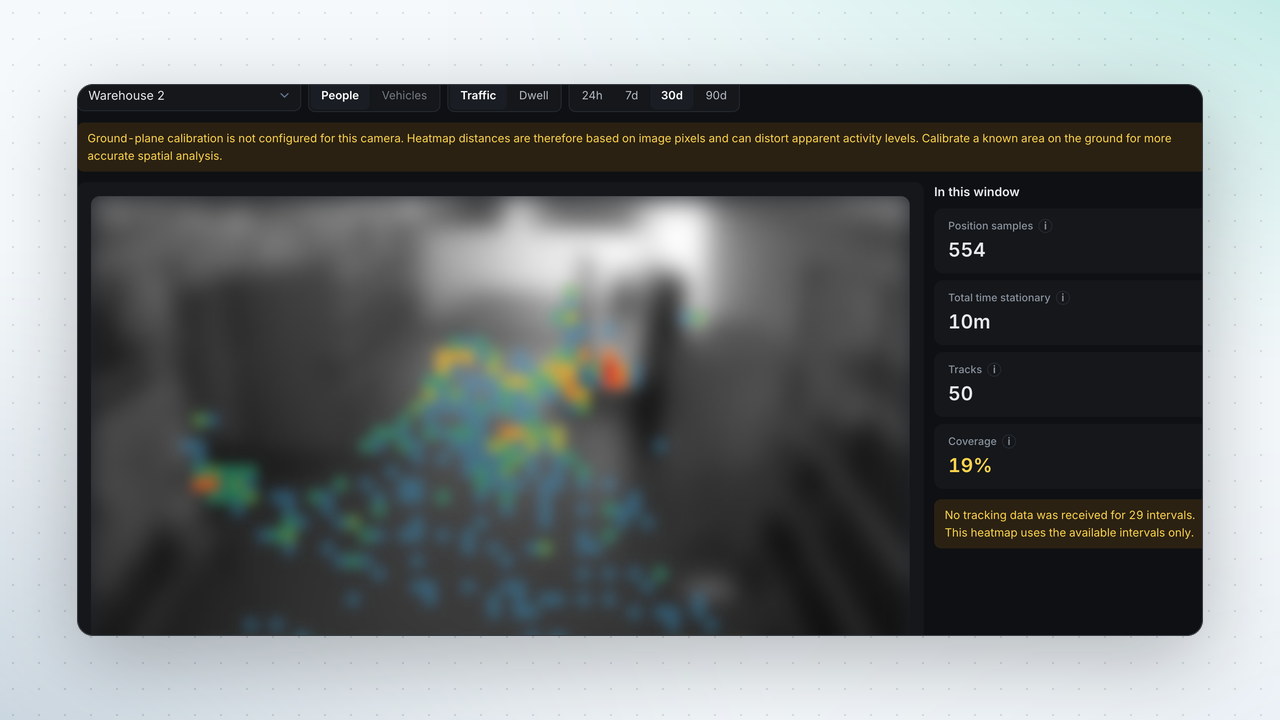
Where customers stop
Heatmaps over the camera's own view of the floor show where customers walk and where they stop, as traffic and as dwell, by hour, day, week or month. An end cap that nobody reaches, an aisle that is always full, a corner that stays empty: all of it is visible without a walk of the floor.
The same maps before and after a change of layout, from the same camera, settle the argument with figures.
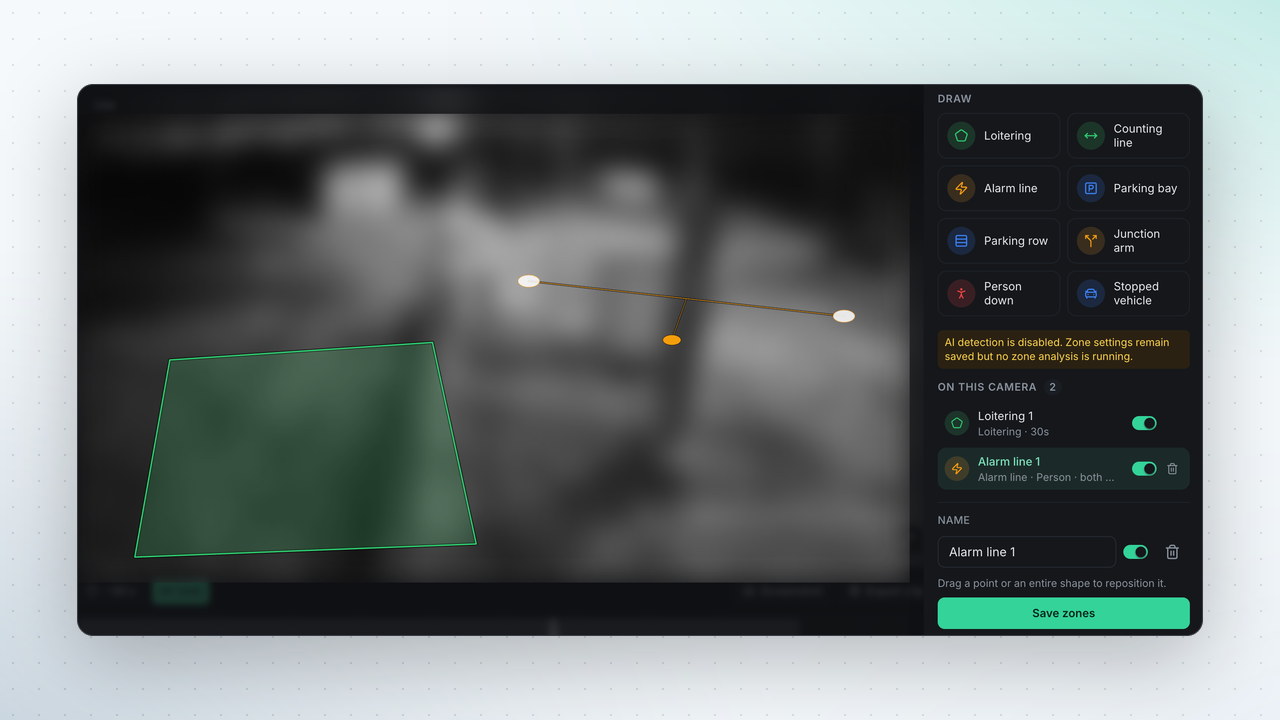
After closing and the back door
Alarm lines on the back door and the stockroom door raise an alert when a person crosses them outside delivery hours, and person detection covers the whole floor once the store is closed. A loitering zone at the entrance completes the set. Each alert carries a snapshot and a clip and reaches the person on duty on the phone, by email or by SMS, according to their own rules.
Alerts have a category and a severity set once for the chain: a crossing at the back door at night is critical and must be acknowledged, a customer at the entrance before opening is a line in the log.
A loss, reconstructed across the cameras
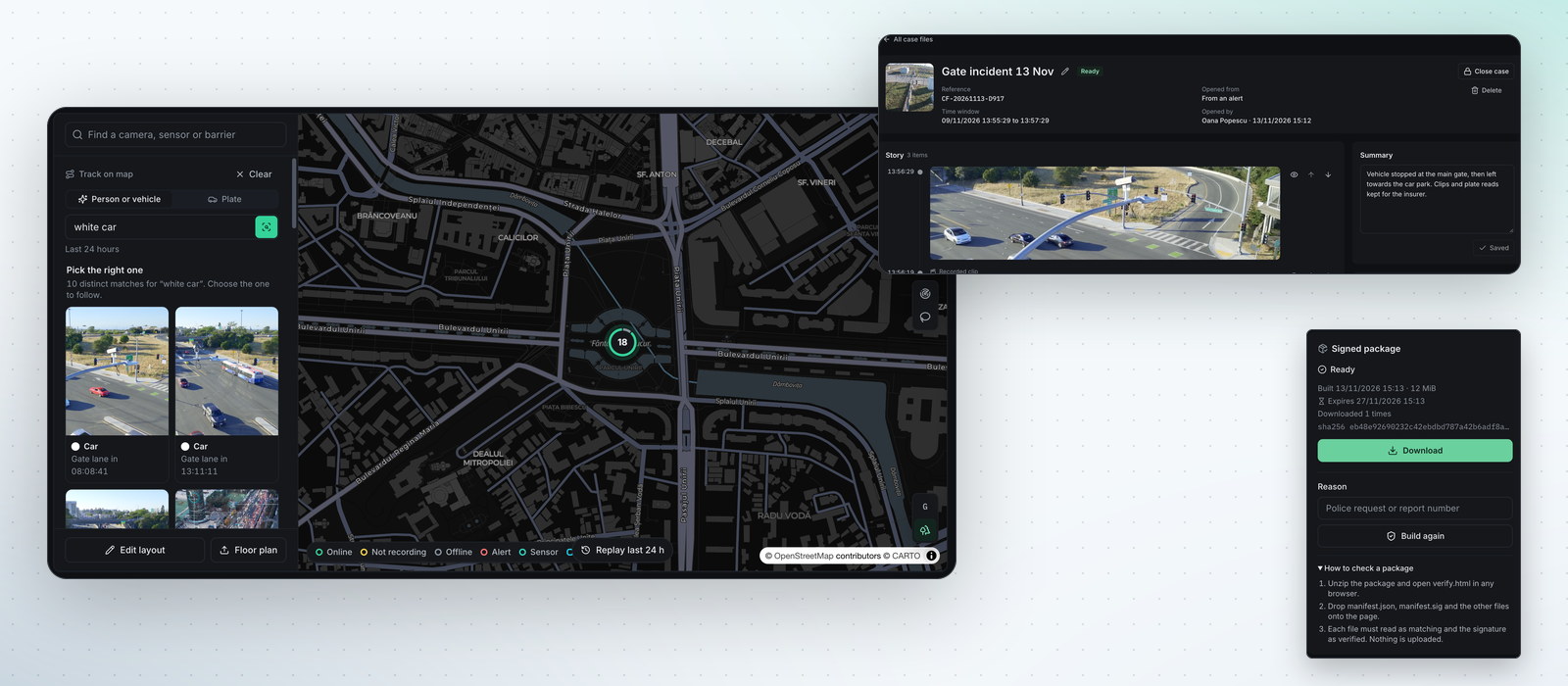
A missing item starts from one sighting. The person is followed from the shelf to the checkout and the exit across the cameras of the store, with a clip around each stop, and the case file puts the clips, the alerts and, for the car park, the plate reads in time order with a summary.
The case leaves as a signed package that the police or the insurer verify outside the platform, with the reason for the export recorded. No face is identified: the platform works on objects, descriptions and events.
Rules for the chain, tested on last month
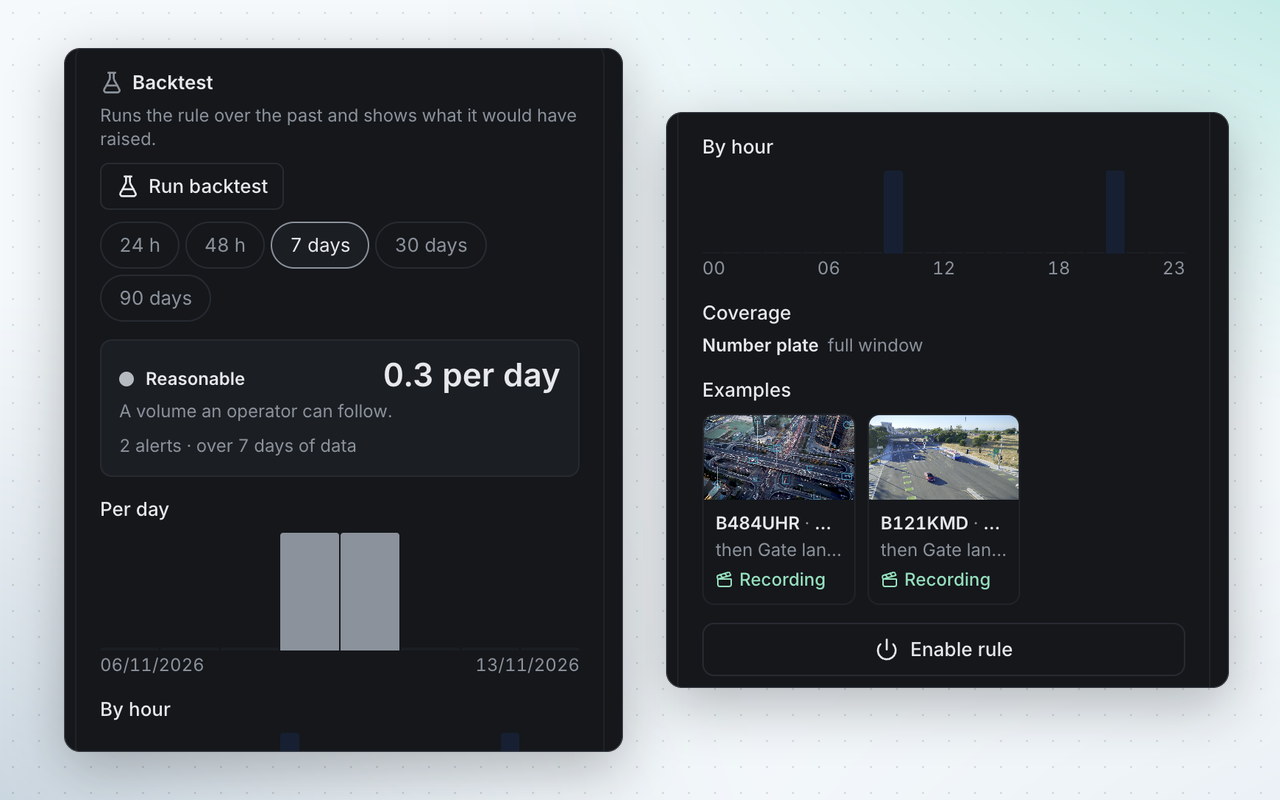
Smart rules combine what the cameras and the sensors see: the same vehicle at two stores on the same day, a crossing of the back door line outside delivery hours with no delivery truck read at the bay that hour, a person in the stockroom after closing followed by the back door alarm.
A rule is run over the last weeks before it is switched on, with the count of alerts it would have raised and the examples, so loss prevention gets a few alerts worth a call and not a flood.
Changing rooms and staff areas without a camera
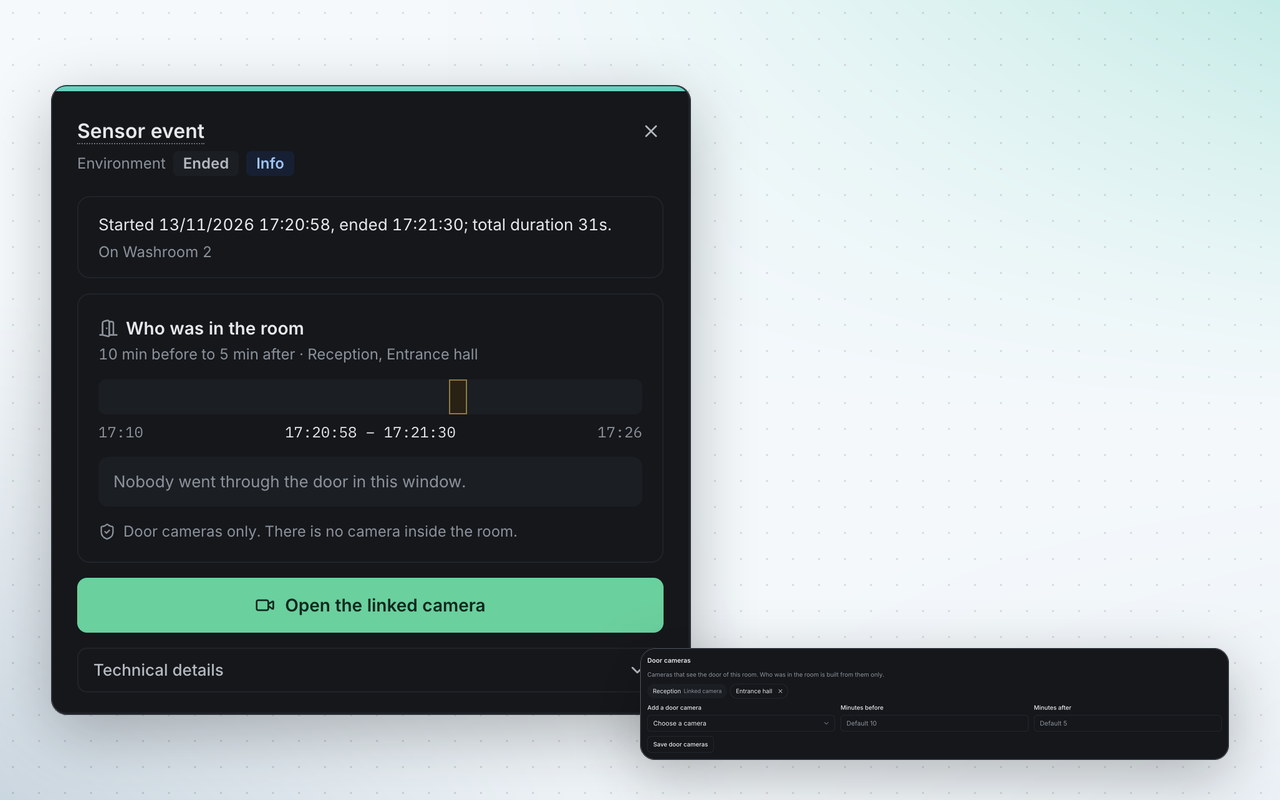
Where a camera is not allowed, a sensor does the work: vaping or smoke in the staff toilets, aggression or a call for help near the changing rooms, a device tampered with in the stockroom. The event lands in the same inbox as the cameras, and the cameras that see the door show who went in before it and who came out after it.
The staff room follows the same approach: no camera inside, a sensor in the room and the cameras on the door.
The security desk of a large store or a mall
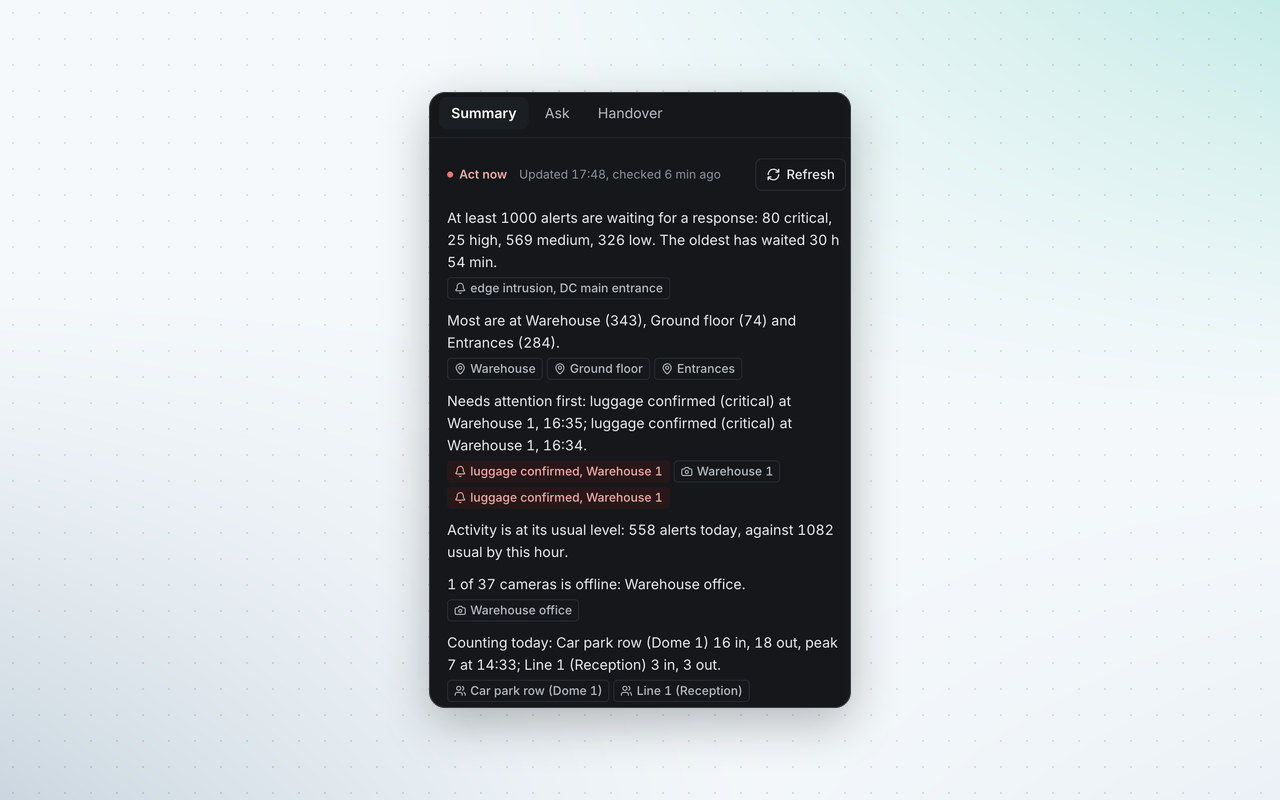
The desk works from one dashboard: the live cameras of the moment, the alerts that need a response, the map of the floor with every camera, sensor and barrier and its state, and the last 24 hours replayed place by place. The assistant sums up the situation in a few lines: what is waiting, where, what needs attention first.
Questions in plain language, with the sources behind the answer, need a language model connected to the platform. At each shift change the handover report goes out by email as a PDF: what happened, what is still open, which cameras went down.
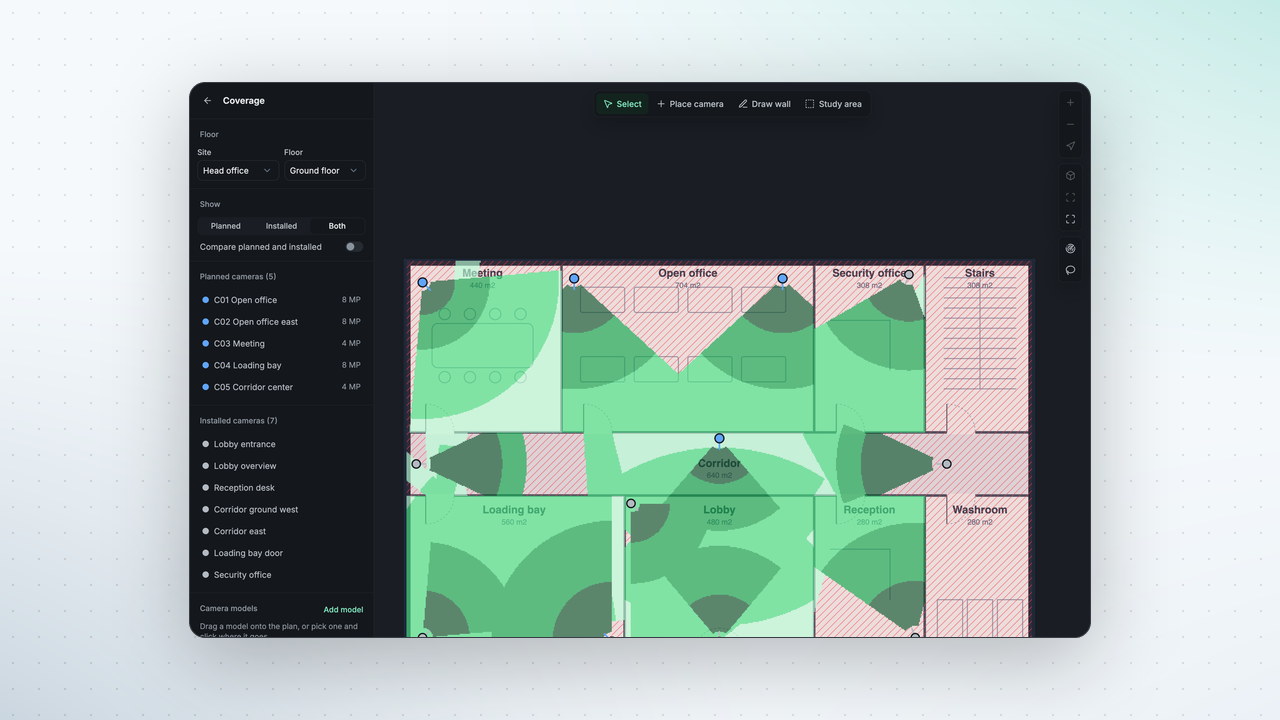
A new store planned on the architect's drawing
Before the fit out, coverage planning puts the cameras on the drawing of the new store. Each model shows where it detects a person, where it observes, where it recognizes and where it identifies, the blind spots between the gondolas stand out, and the study prints for the fit out contractor.
Once the store opens, the same drawing is its live floor plan, with the installed cameras and their fields of view, and the planned coverage is checked against what was built.
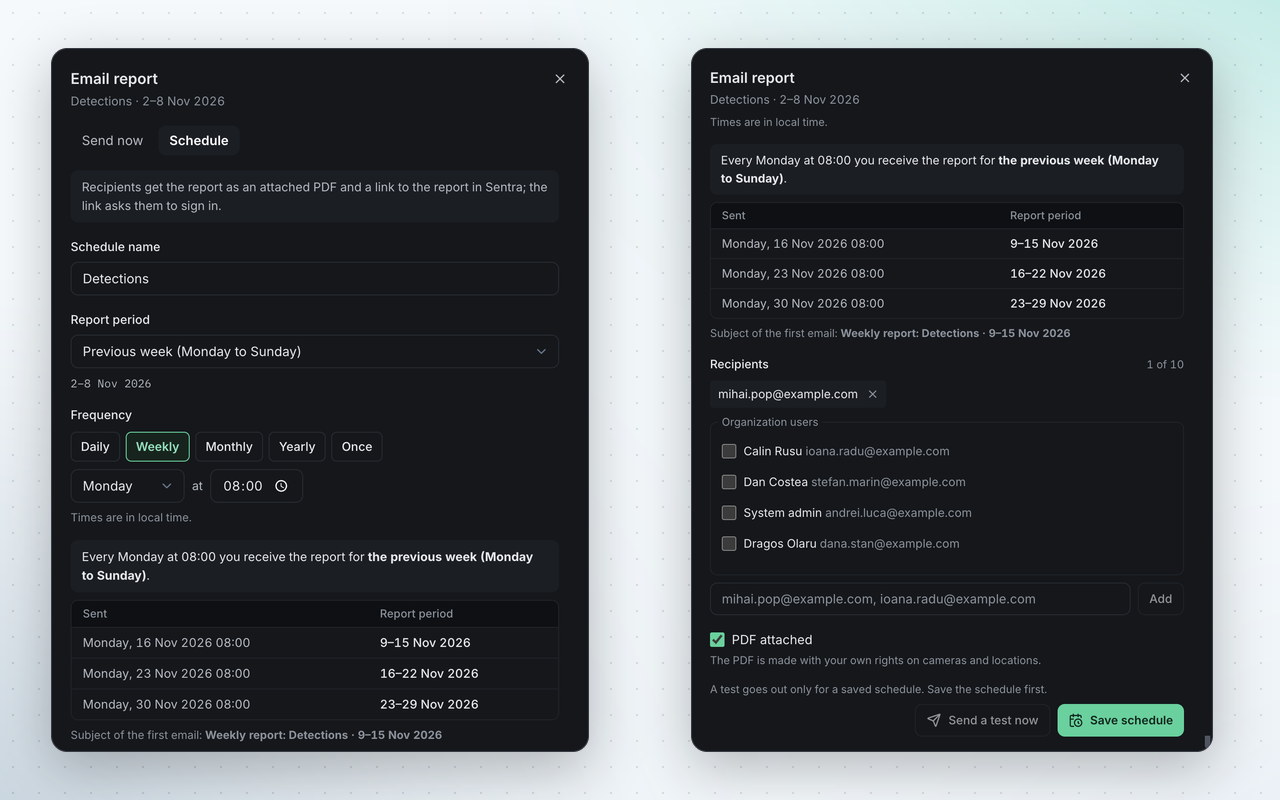
The chain in one console, and the Monday report
Every store, camera and person sits in one organization tree. Head office sets modules, retention and alert rules once, each store manages its own cameras and people, and the recorder a store already has joins with its channels. Roles per desk: store manager, regional supervisor, loss prevention, auditor, each limited to its stores.
- The regional manager's report by email every Monday: footfall, occupancy and alerts per store, as a PDF
- Every view, export and change in the audit trail, for the data protection officer
- The car park from the same cameras: free bays per row and the plates at the delivery bay
Capabilities on this page: Counting, Heatmaps, Zones and Rules, AI Detection and Alerts, Investigations, Sensors, Assistant and Shift Handover, Coverage Planning, Map, Parking and Junctions, Reports and Audit.
See it on your own cameras
A demo can run on your cameras or on a Sentra demo site, self hosted or hosted by Sentra. Tell us which events and figures you need, and we prepare it.