

Zones and Rules
Zones and rules are the shapes the engine watches on a camera. They are drawn on a frame from that camera: zones, counting lines, alarm lines, parking bays and rows, junction arms, person down areas and stopped vehicle areas. Each shape keeps its history.
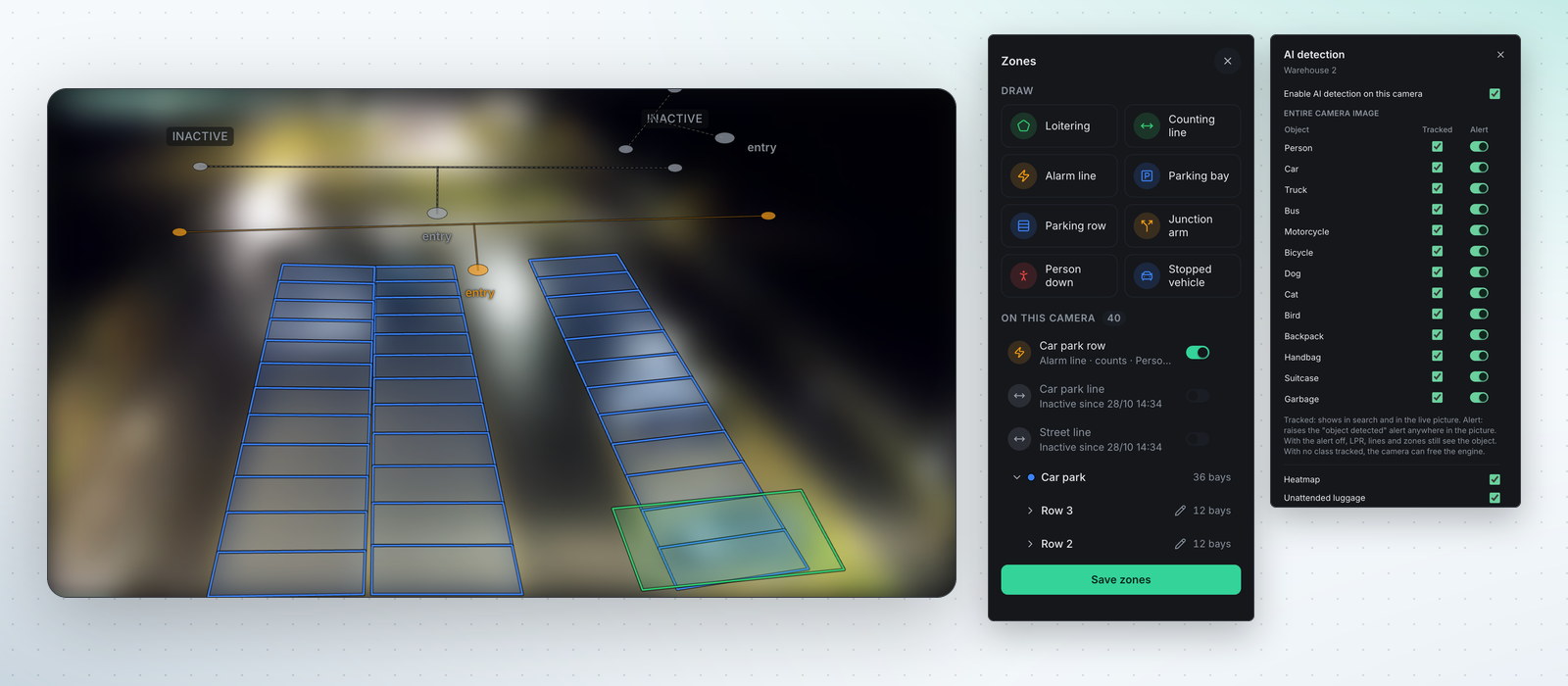
Zone editor
One editor for the nine kinds of shape: drag a point or the whole shape, add or drop points, nudge with the arrow keys, undo.
Shape history
Each change is kept with who made it and when, and each event points at the exact version of the shape that raised it.
Paused shapes
A shape can be switched off and on again, so a seasonal rule, or a line in an area under construction, is not redrawn.
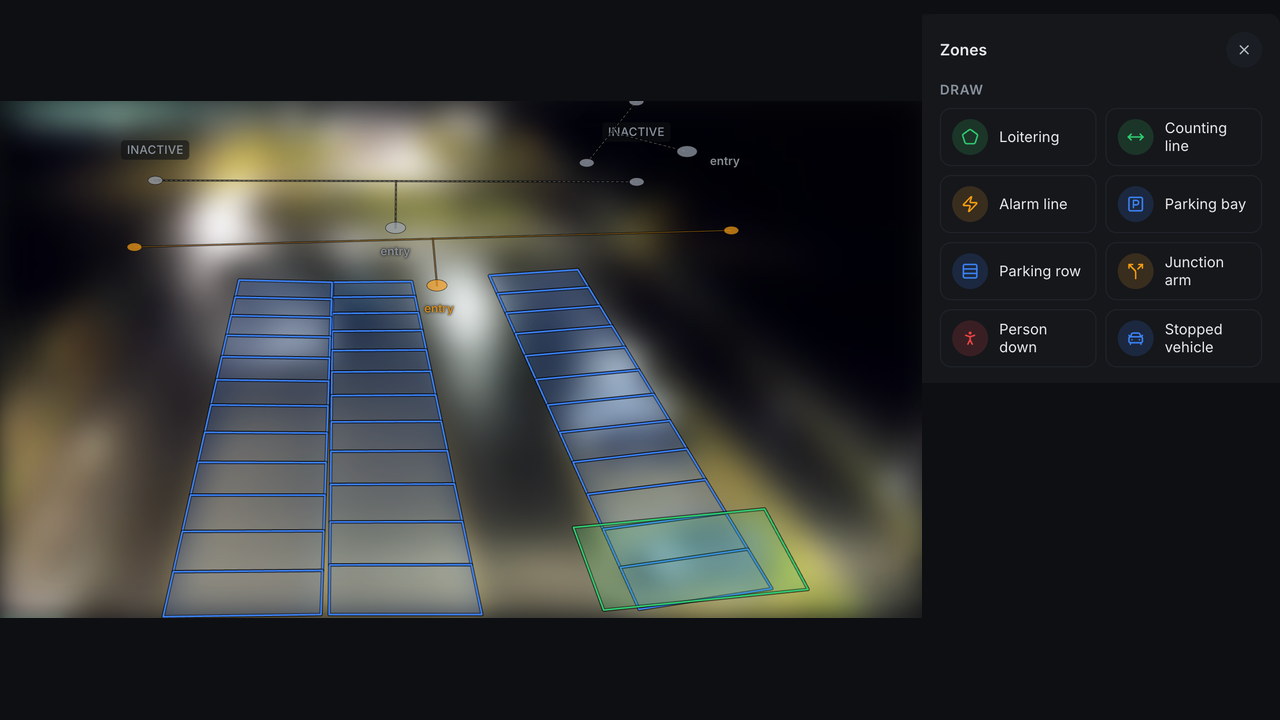
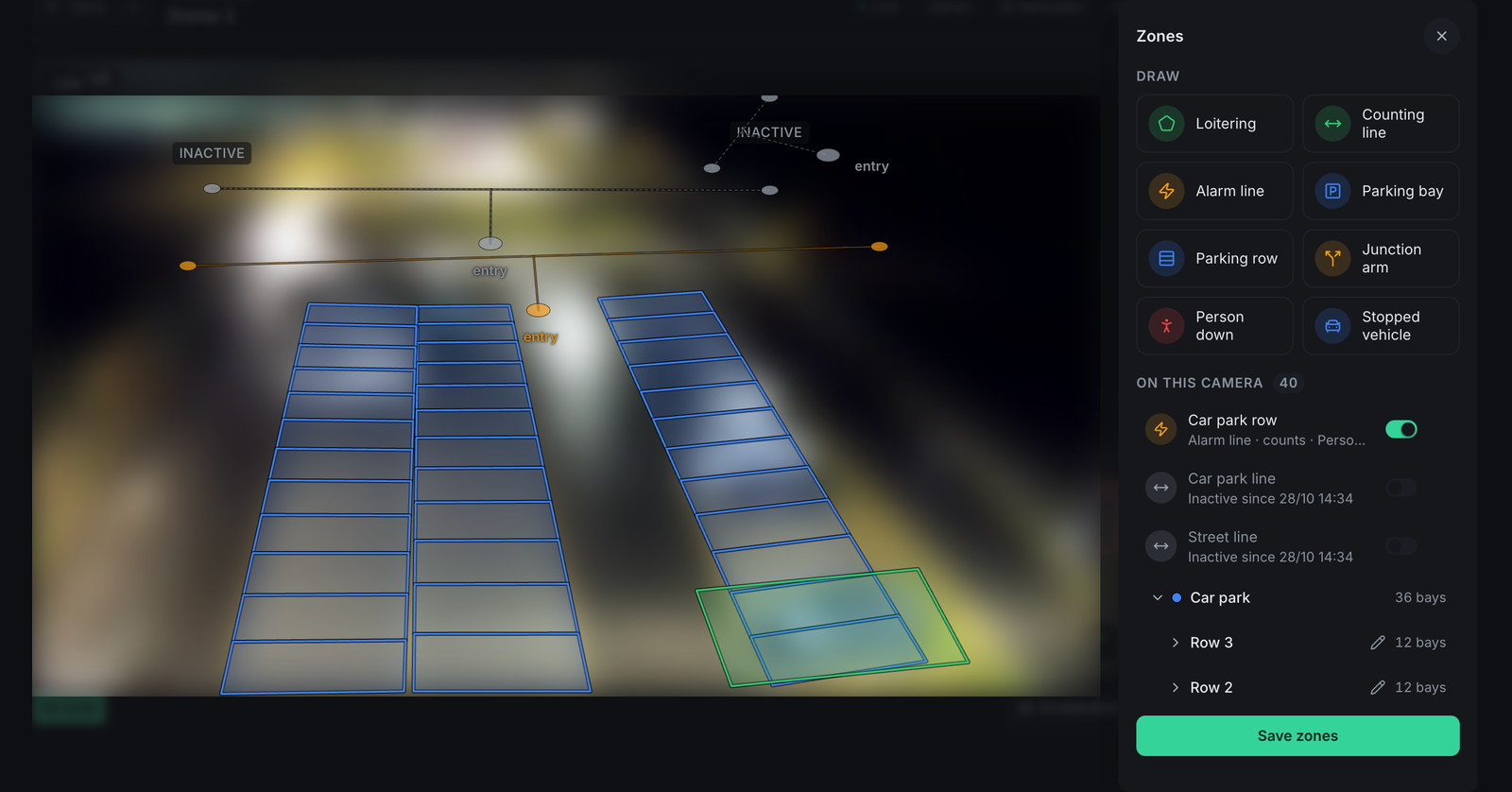
Every shape, drawn on the camera picture
Zone
An area with a dwell time for loitering.
Alarm line
A line and an arrow, with, against or both ways.
Counting line
People and vehicles in and out, with a photo per crossing.
Parking bay and row
Bays with settle and vacate times.
Junction arm
One per approach, counted arm to arm.
Person down
Someone on the ground, cleared when the spot is empty.
Stopped vehicle
A vehicle that stays on a hard shoulder or in a fire lane.
History
Each event points at the version of the shape that raised it.
Alarm lines with a direction
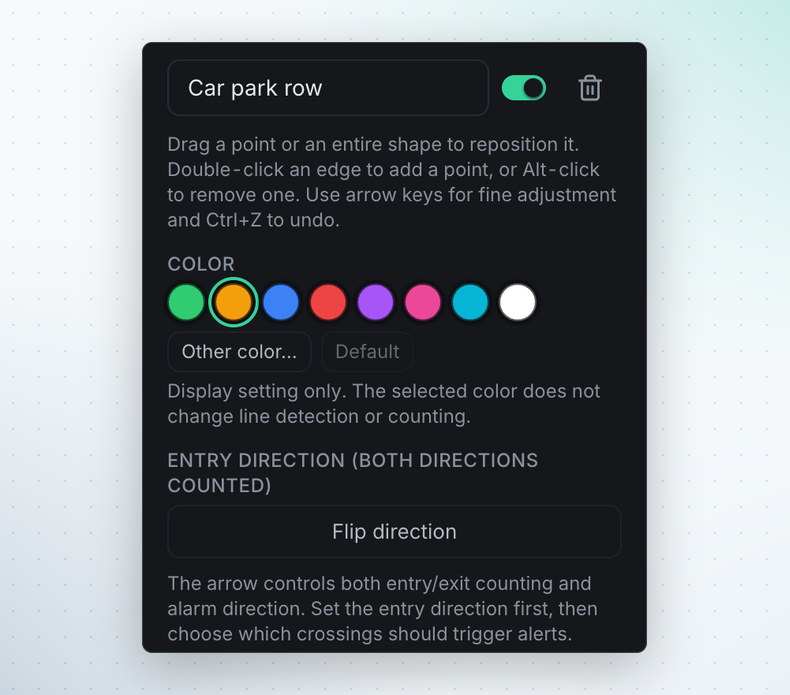
An alarm line is a line and an arrow drawn on the picture. It alarms with the arrow, against it or both ways, for the classes selected, and it can count at the same time. The display color can be chosen, so a crowded picture stays readable, and the arrow can be flipped without redrawing.
Counting lines
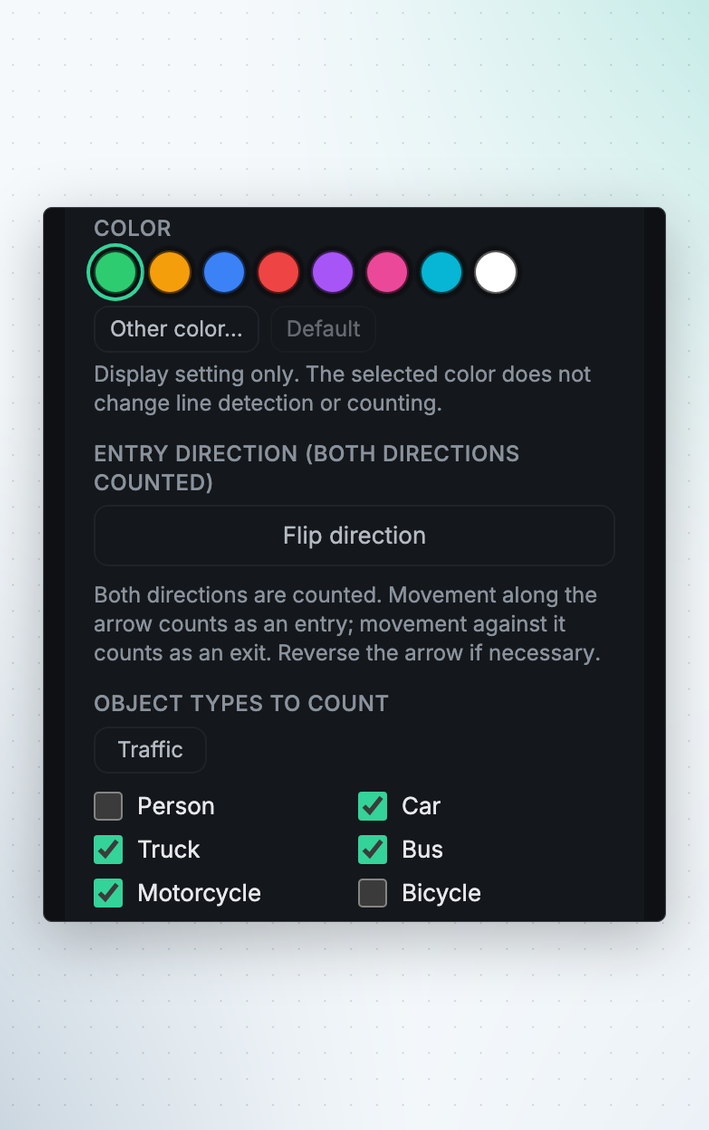
A counting line counts people, cars, trucks, buses, motorcycles and bicycles as chosen, with a traffic preset for street cameras. It can keep a photo of each crossing, show its live counter over the video on that camera, and reset itself each hour or at midnight in the site's time zone.
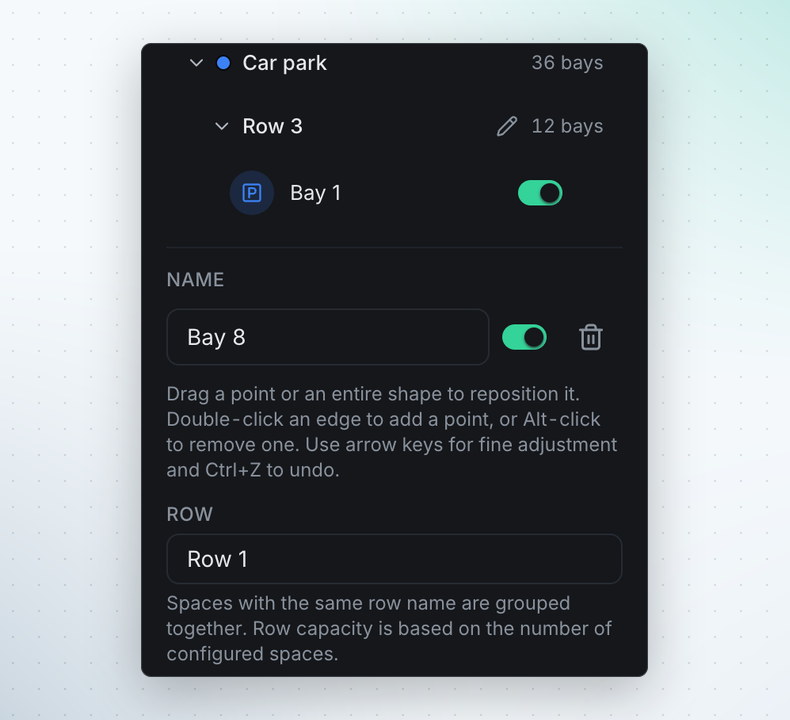
Parking rows and bays
A row is drawn from its four corners and a number of bays, and each bay can be adjusted afterwards. Bays sit under a named row with settle and vacate times, and a single bay can be switched off while a container or works occupy it.
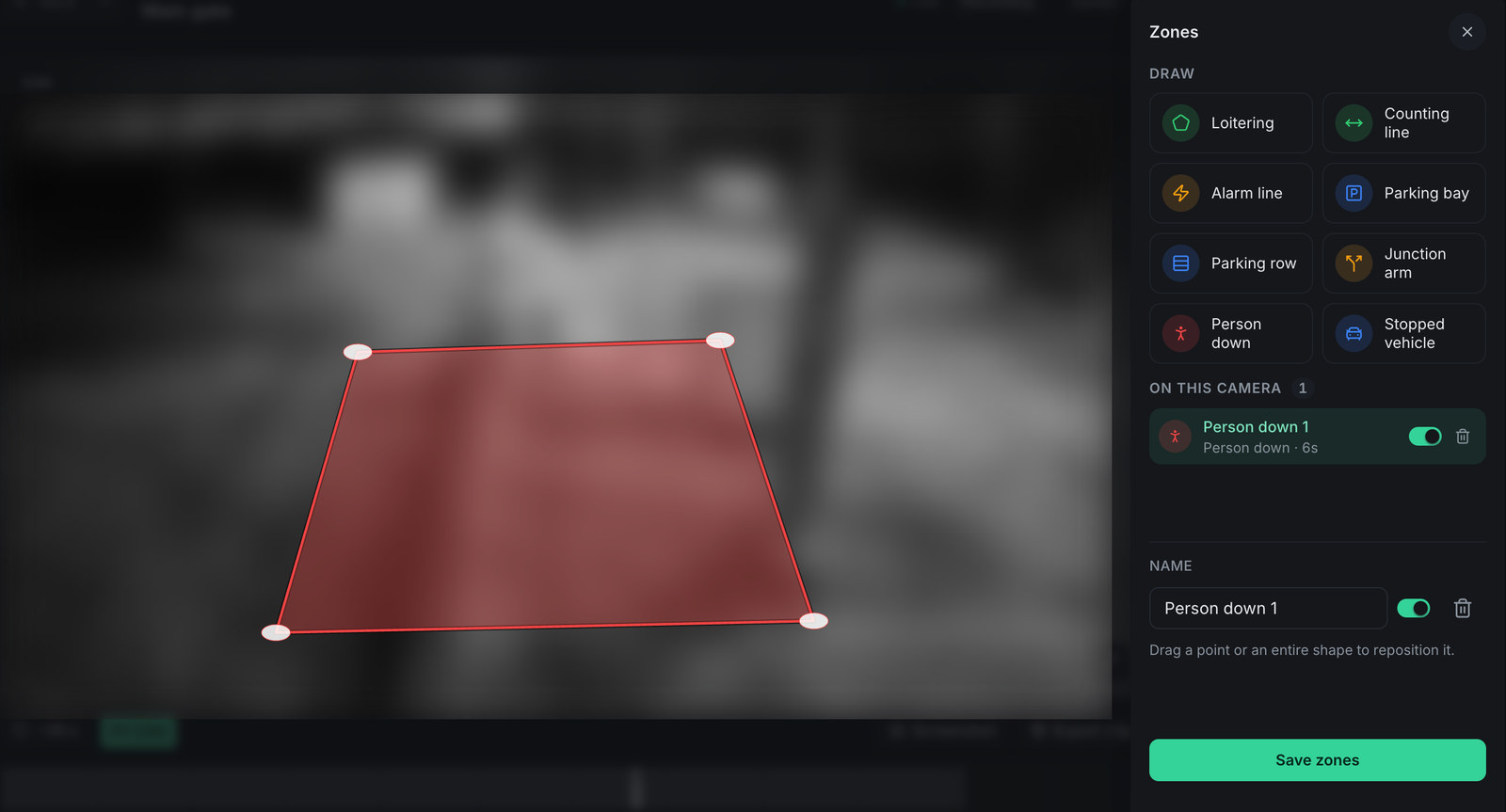
Person down and stopped vehicles
A person down area watches for someone on the ground and raises a critical alert with the picture, then clears itself once the spot is empty. A stopped vehicle area does the same for a vehicle that stays on a hard shoulder, in front of a gate or in a fire lane.
Junction arms
One arm is drawn on each approach, before the junction, and named. Each vehicle is then counted from the arm it entered by to the arm it left by, by class, and the movement table shows the names given to the arms.
Camera settings
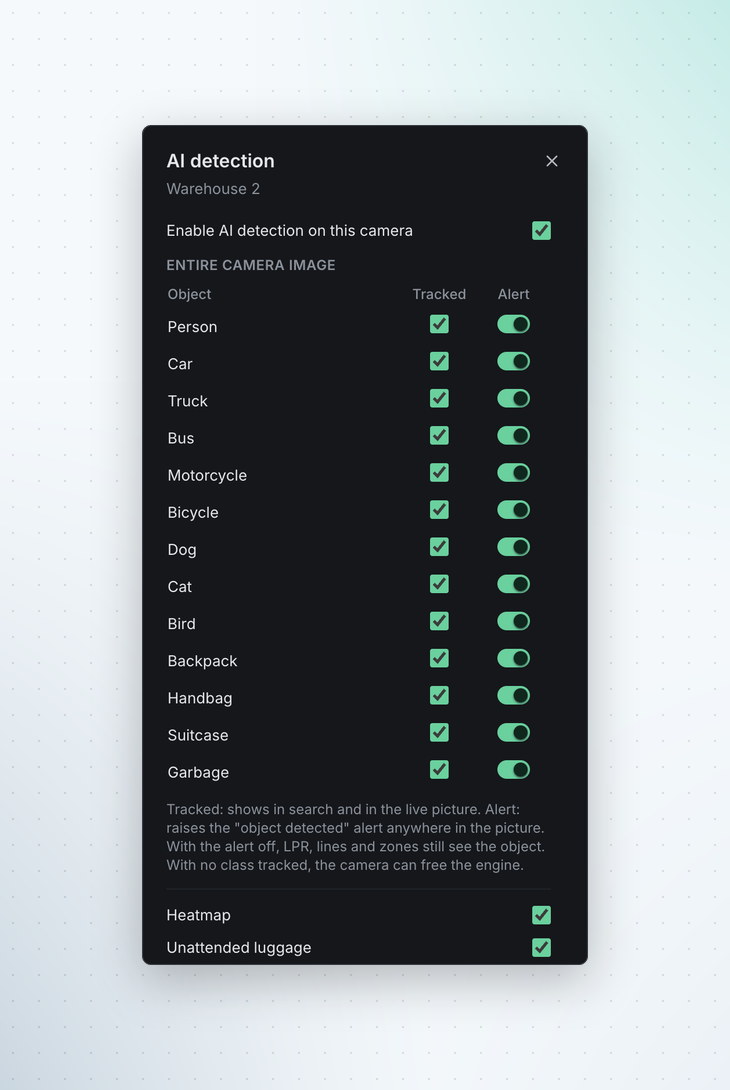
Beside the zones, each camera has its own settings: which object classes raise an alert anywhere in the picture, whether unattended luggage is watched, whether heatmaps are collected and over what default range, and the perspective filter, which tells the engine how tall a person looks near and far. A change applies without a restart.
Smart rules
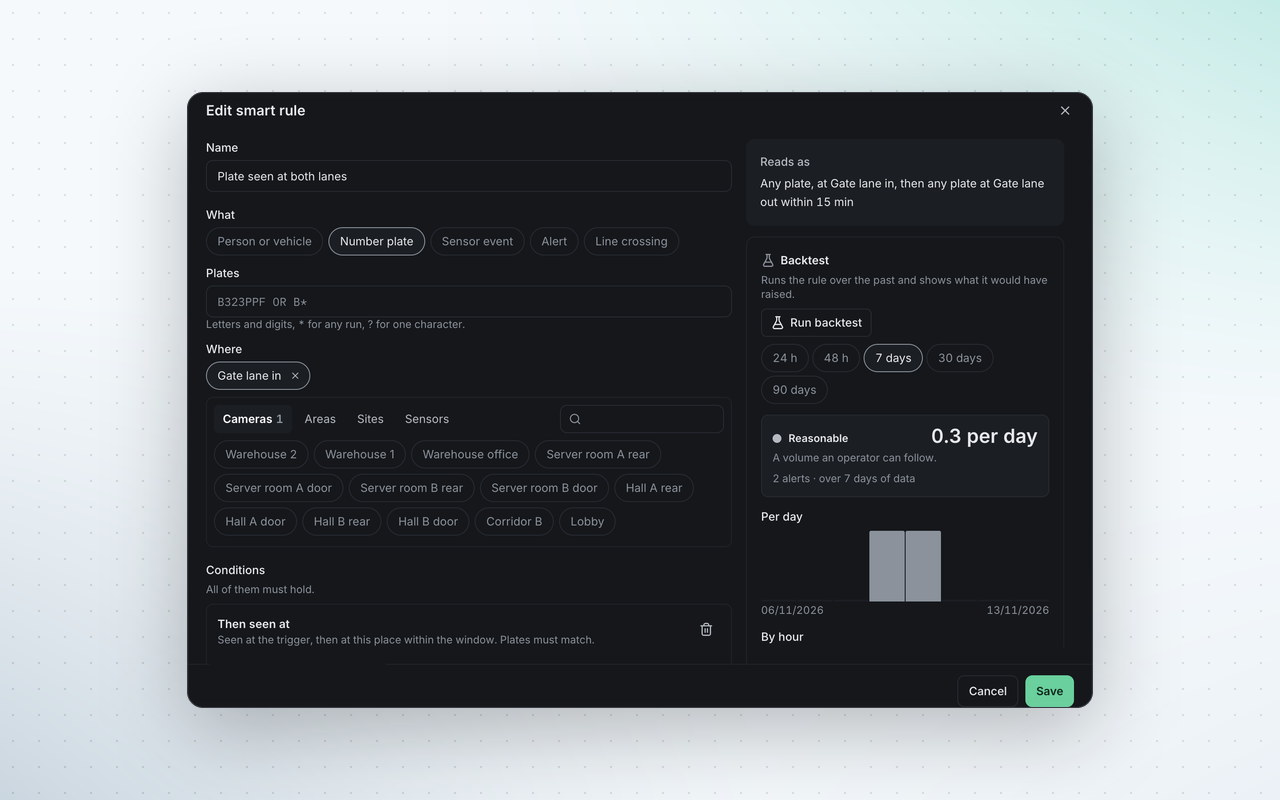
A smart rule works over what the cameras and sensors have already seen: tracks of people and vehicles, plate reads, sensor events, alerts and line crossings. It narrows by place (cameras, areas, sites or sensors), by kind, clothing or vehicle color, plate pattern and hours, then adds conditions that must all hold.
- Stays at one place for at least a set time
- Seen several times within a window
- Then seen at another place within a window, with the same plate
- Together with, or not followed by, another event
Each rule reads back as a sentence, has its own severity and a quiet period per subject, so the same vehicle does not alert twice in a row. Only administrators change smart rules.
Tested on history before it is switched on
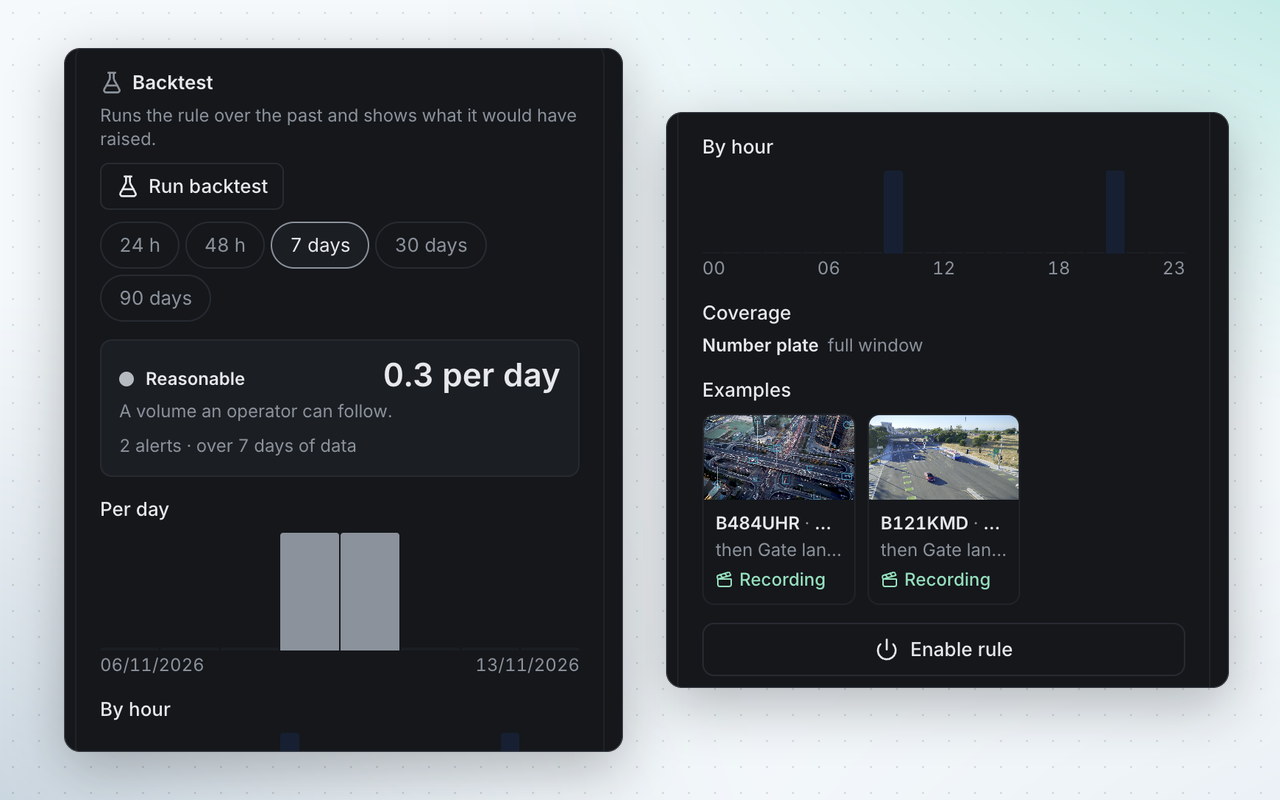
A smart rule is run over the past before it can be enabled, from the last day to the last quarter. The backtest states how many alerts the rule would have raised, per day and by hour, with examples that open on the map, the recording or the alert, and rates the volume from quiet to too loud. A rule changed after its test is tested again.
Plate zones and zone history
A plate zone marks where plates are readable in the picture and the direction of entry, so a read is stamped in or out. The zone can hold a reference plate size, suggested from recent readings, which keeps distant or partial reads out.
- Stopped vehicle zones with a road type: junction, expressway, car park or custom timing, and accident detection on request
- Every zone keeps its change history; an older shape is restored in one step, and an alert points at the version that raised it
- A zone used by a barrier or a counter cannot be switched off by accident
See it on your own cameras
A demo can run on your cameras or on a Sentra demo site, self hosted or hosted by Sentra. Tell us which events and figures you need, and we prepare it.